> ## Documentation Index
> Fetch the complete documentation index at: https://documentation.suby.fi/llms.txt
> Use this file to discover all available pages before exploring further.
# Customer Portal
Your customer portal gives you access to all your subscriptions, payments, and product access in one place. No need to contact anyone — everything is fully self-serve.
## Access Your Customer Portal
Your customer portal is available at **customer.suby.fi** and is linked to the email you used at checkout. You can also access it directly from any payment email Suby sent you.
Open [customer.suby.fi](https://customer.suby.fi), or click the customer portal link inside any **Payment Receipt** email from Suby.
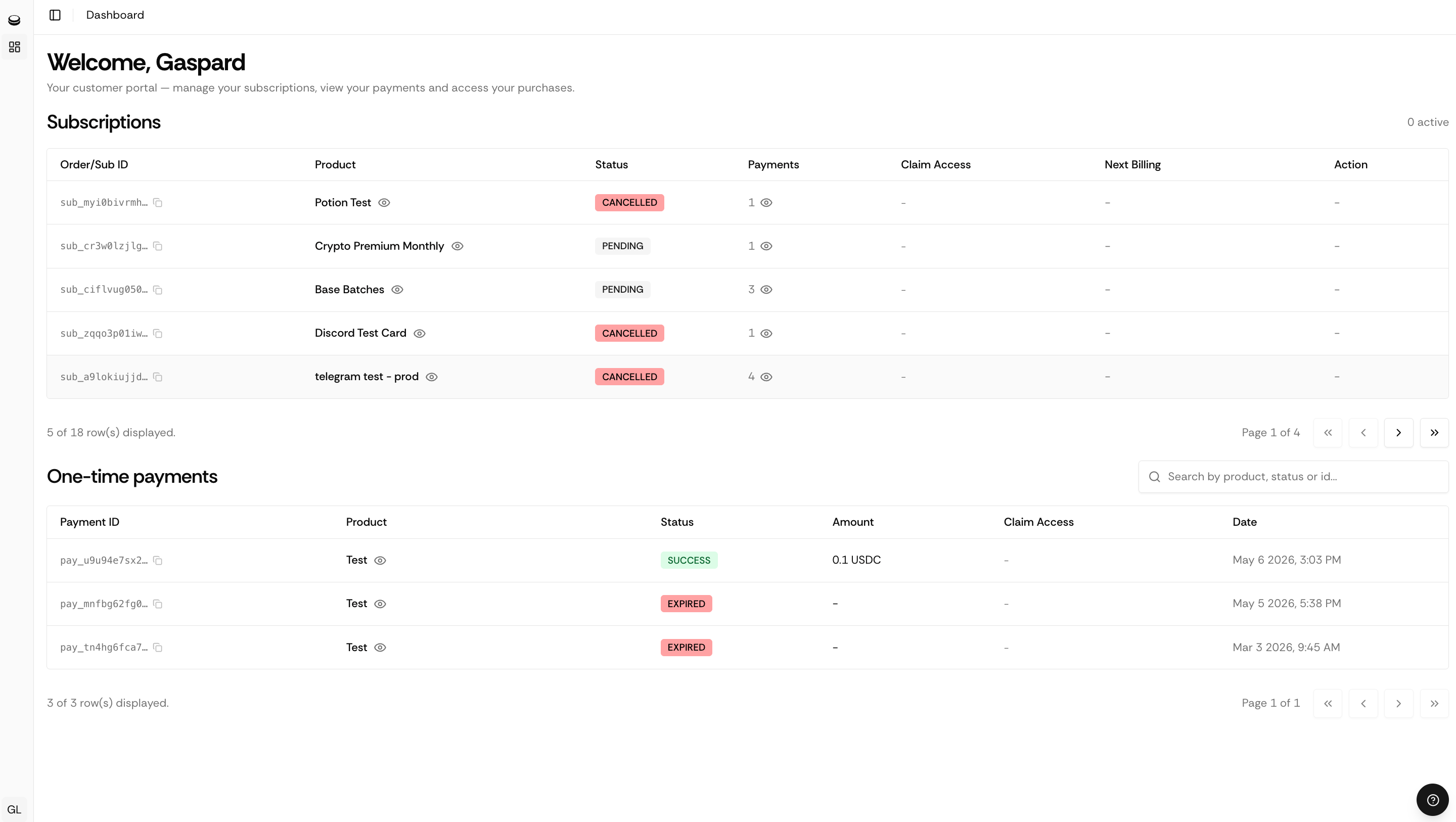 Use the same email you used at checkout. No password required.
View your subscriptions, check your payment history, claim your access, or cancel a subscription.
Make sure to use the exact email associated with your purchase. If you used a different email at checkout, the portal won't show your subscriptions.
## I Can't Find My Payment Receipt
If you can't locate the email:
* Check your **spam or junk folder**
* Search for **"Payment Receipt"** or **"Suby"** in your inbox
* Make sure you are searching in the correct email account, the one you used at checkout
## I Still Need Help
If you are unable to access your portal or have an issue with your subscription, contact the Suby support team.
Reach us on WhatsApp, Telegram, Discord, or email.
Use the same email you used at checkout. No password required.
View your subscriptions, check your payment history, claim your access, or cancel a subscription.
Make sure to use the exact email associated with your purchase. If you used a different email at checkout, the portal won't show your subscriptions.
## I Can't Find My Payment Receipt
If you can't locate the email:
* Check your **spam or junk folder**
* Search for **"Payment Receipt"** or **"Suby"** in your inbox
* Make sure you are searching in the correct email account, the one you used at checkout
## I Still Need Help
If you are unable to access your portal or have an issue with your subscription, contact the Suby support team.
Reach us on WhatsApp, Telegram, Discord, or email.