> ## Documentation Index
> Fetch the complete documentation index at: https://documentation.suby.fi/llms.txt
> Use this file to discover all available pages before exploring further.
# Customers
> View and manage your customers from the dashboard.
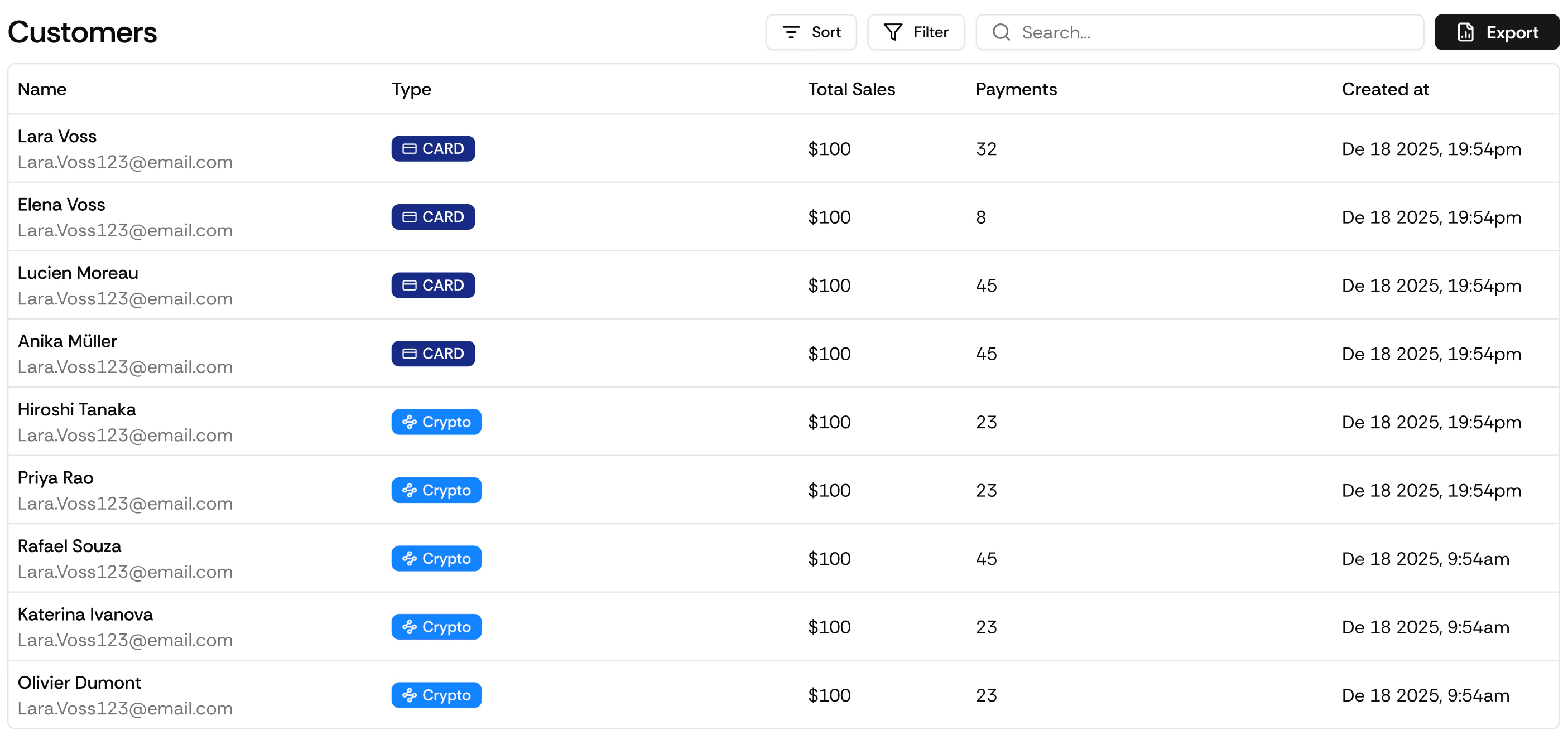
Every customer who completes a purchase through Suby gets a customer record automatically. View their full history, manage their subscriptions, and issue refunds directly from the dashboard.
 ## Customer Profile
Each customer record includes:
* Full payment history, every transaction linked to that customer
* Active subscriptions, all current active subscriptions across any of your products
* Subscription status, active, cancelled, past due
* Payment method on file
## What You Can Do
See every payment the customer has made, with status, amount, date, and product.
Refund any successful transaction directly from the customer profile without navigating to the Transactions page.
A customer can have multiple active subscriptions simultaneously. Cancel any individual subscription without affecting their others.
## Accessing Customers
Navigate to **Customers** in your dashboard.
Search by email or name.
Click on a customer to open their full profile.
## Via API
Endpoints, parameters, and response objects for Customers.
## Customer Profile
Each customer record includes:
* Full payment history, every transaction linked to that customer
* Active subscriptions, all current active subscriptions across any of your products
* Subscription status, active, cancelled, past due
* Payment method on file
## What You Can Do
See every payment the customer has made, with status, amount, date, and product.
Refund any successful transaction directly from the customer profile without navigating to the Transactions page.
A customer can have multiple active subscriptions simultaneously. Cancel any individual subscription without affecting their others.
## Accessing Customers
Navigate to **Customers** in your dashboard.
Search by email or name.
Click on a customer to open their full profile.
## Via API
Endpoints, parameters, and response objects for Customers.