> ## Documentation Index
> Fetch the complete documentation index at: https://documentation.suby.fi/llms.txt
> Use this file to discover all available pages before exploring further.
# Discount Codes
> Create fixed or percentage discounts with usage limits and expiry dates.
Discount codes let you offer reductions at checkout — for promotions, launches, or specific customer segments. Customers enter the code at checkout and the price adjusts automatically.
 ## How It Works
Set up a discount code in your dashboard with a type, value, and optional limits.
Send the code to customers via email, Discord, social media, or anywhere else.
The customer enters the code at checkout.
Suby adjusts the amount charged automatically.
## Creating a Discount Code
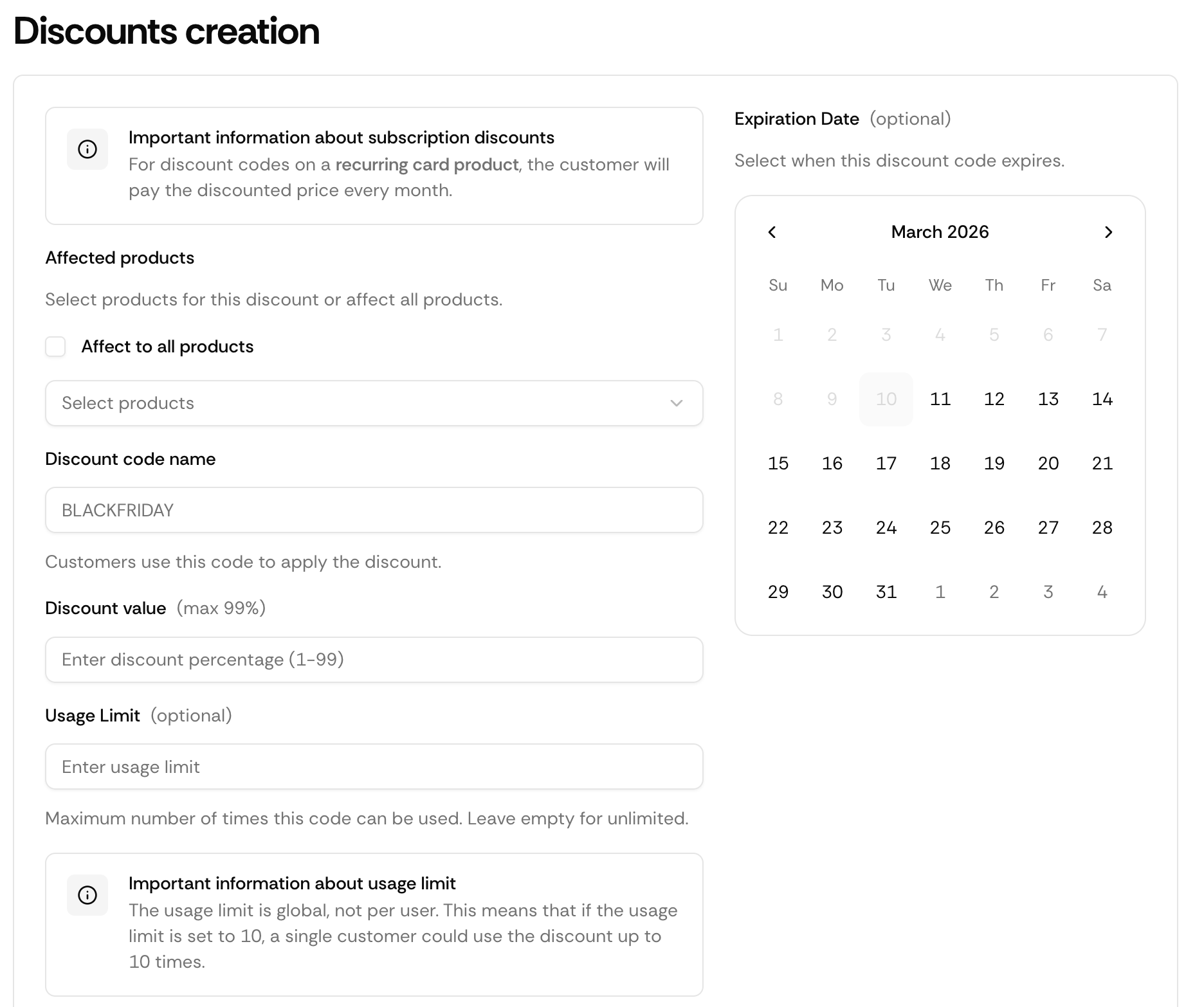
Navigate to **Growth → Discounts** in your dashboard and click **Create code**.
Set the code string (e.g. `LAUNCH50`), discount type, value, and optionally a usage limit and expiry date.
Your code is active immediately.
## Discount Types
| Type | Example |
| ------------ | --------------------------- |
| Percentage | 20% off the checkout total |
| Fixed amount | \$10 off the checkout total |
## Limitations
Discount codes apply to the checkout total after tax calculation. Codes are case-insensitive at checkout. A usage limit of 1 makes a code single-use.
## Via API
You can also create discount codes programmatically with `POST /api/discount/create` — set a `PERCENT` or `FIXED` type, target `"all"` products or a specific list, and optionally cap usage (`maxUses`) or set an expiry (`expiresAt`).
Codes can be applied two ways:
* **Customer enters it at checkout** — the price adjusts automatically.
* **Pre-applied by you** — pass the code in the `discountCode` field on `POST /api/payment/create` or `POST /api/subscription/create`, and it's applied to the checkout without the customer typing anything. It's silently ignored if the code is invalid, expired, exhausted, or not attached to that product.
Endpoints, parameters, and response objects for Discounts.
## How It Works
Set up a discount code in your dashboard with a type, value, and optional limits.
Send the code to customers via email, Discord, social media, or anywhere else.
The customer enters the code at checkout.
Suby adjusts the amount charged automatically.
## Creating a Discount Code
Navigate to **Growth → Discounts** in your dashboard and click **Create code**.
Set the code string (e.g. `LAUNCH50`), discount type, value, and optionally a usage limit and expiry date.
Your code is active immediately.
## Discount Types
| Type | Example |
| ------------ | --------------------------- |
| Percentage | 20% off the checkout total |
| Fixed amount | \$10 off the checkout total |
## Limitations
Discount codes apply to the checkout total after tax calculation. Codes are case-insensitive at checkout. A usage limit of 1 makes a code single-use.
## Via API
You can also create discount codes programmatically with `POST /api/discount/create` — set a `PERCENT` or `FIXED` type, target `"all"` products or a specific list, and optionally cap usage (`maxUses`) or set an expiry (`expiresAt`).
Codes can be applied two ways:
* **Customer enters it at checkout** — the price adjusts automatically.
* **Pre-applied by you** — pass the code in the `discountCode` field on `POST /api/payment/create` or `POST /api/subscription/create`, and it's applied to the checkout without the customer typing anything. It's silently ignored if the code is invalid, expired, exhausted, or not attached to that product.
Endpoints, parameters, and response objects for Discounts.