> ## Documentation Index
> Fetch the complete documentation index at: https://documentation.suby.fi/llms.txt
> Use this file to discover all available pages before exploring further.
# One-time Payments
> Sell anything once. Digital products, services, or access, collected instantly.
One-time payments let you charge a customer a single fixed amount. No recurring billing, no subscription logic. The customer pays, gets access, and that's it.
 ## How It Works
When a customer completes a one-time checkout, Suby:
The payment is collected across the customer's chosen method, card, bank, Apple Pay, Google Pay, or stablecoin.
Applicable taxes are calculated and collected automatically based on the customer's location.
Access is granted based on your configured integration, PayLink, API, Discord, or Telegram.
A `payment.succeeded` event is sent to your server if you have a webhook configured.
## Use Cases
Templates, ebooks, files, and downloadable assets.
One-time service engagements or client deliverables.
Tools, communities, or platforms with a one-time entry fee.
Client payments for project-based work.
## Setting Up a One-time Payment
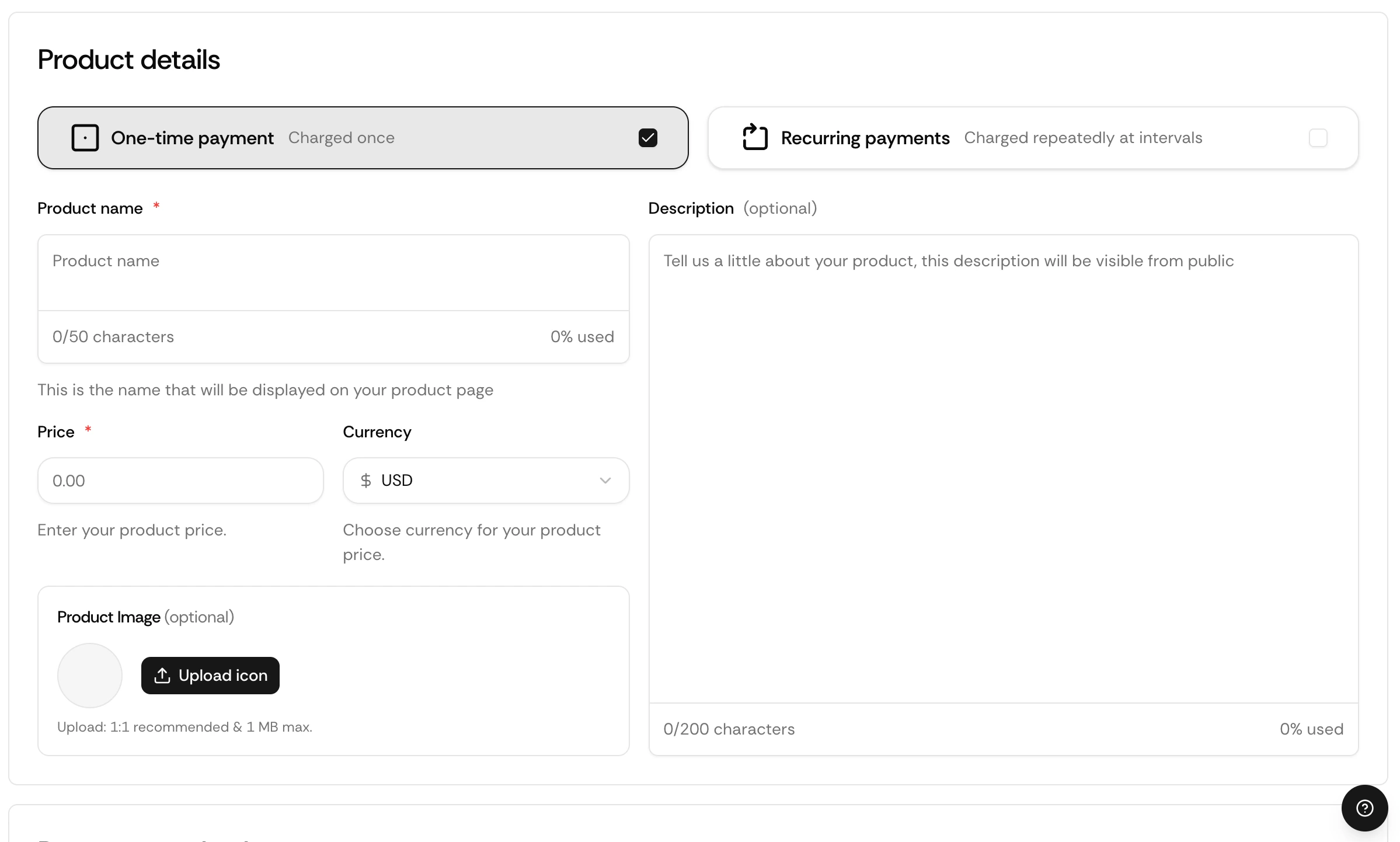
Go to your dashboard and click **Create product**.
Select **One-time** and enter your price.
Select PayLink, API, Discord, or Telegram.
Your checkout is live instantly.
## Via API
Endpoints, parameters, and response objects for Checkout Sessions.
## How It Works
When a customer completes a one-time checkout, Suby:
The payment is collected across the customer's chosen method, card, bank, Apple Pay, Google Pay, or stablecoin.
Applicable taxes are calculated and collected automatically based on the customer's location.
Access is granted based on your configured integration, PayLink, API, Discord, or Telegram.
A `payment.succeeded` event is sent to your server if you have a webhook configured.
## Use Cases
Templates, ebooks, files, and downloadable assets.
One-time service engagements or client deliverables.
Tools, communities, or platforms with a one-time entry fee.
Client payments for project-based work.
## Setting Up a One-time Payment
Go to your dashboard and click **Create product**.
Select **One-time** and enter your price.
Select PayLink, API, Discord, or Telegram.
Your checkout is live instantly.
## Via API
Endpoints, parameters, and response objects for Checkout Sessions.