> ## Documentation Index
> Fetch the complete documentation index at: https://documentation.suby.fi/llms.txt
> Use this file to discover all available pages before exploring further.
# PayLinks
> A shareable checkout URL tied to a product. No code required.
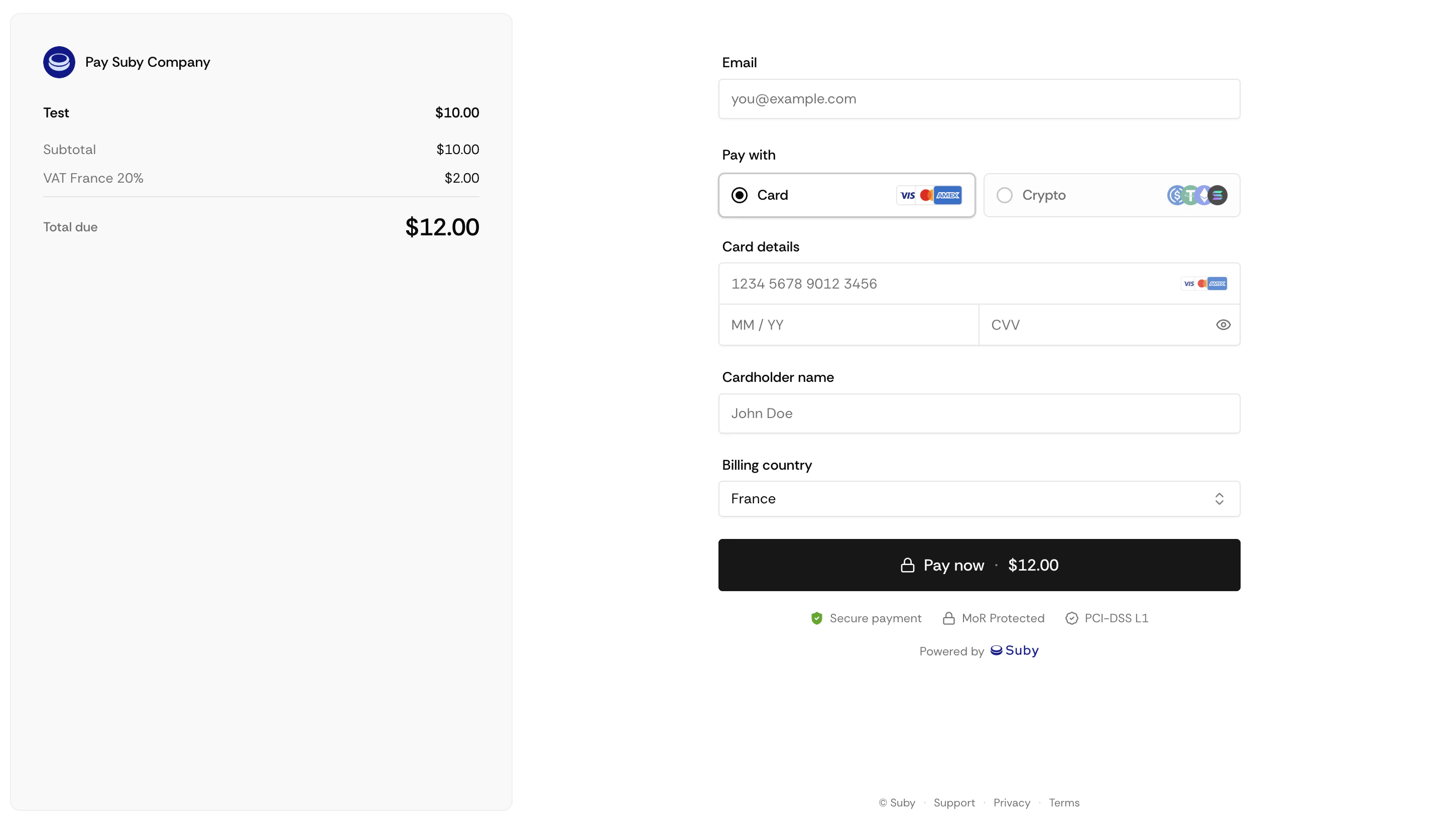
A PayLink is a hosted checkout page Suby generates for your product. Share the URL, the customer pays, and Suby handles everything else, tax calculation, payment processing, and access delivery.
 ## How It Works
Set up your product in the dashboard, one-time or recurring.
Suby generates a unique hosted checkout URL for that product.
Post it on your website, bio link, Discord, email, or anywhere else.
The customer lands on a Suby-hosted checkout page and completes payment.
Access is granted automatically based on your configured integration.
## Generating a PayLink
Go to your dashboard and open the product.
Click **Generate PayLink**.
Copy the URL and share it anywhere.
## What PayLinks Support
Works for both billing types out of the box.
Cards, bank accounts, Apple Pay, Google Pay, and stablecoins.
Tax is calculated and collected in real time based on the customer's location.
Customers can apply discount codes directly at checkout.
## Limitations
PayLinks cannot be set to expire, and customer details cannot be pre-filled via the URL. For pre-filled sessions or dynamic parameters, use the [Checkout Sessions API](/v2/api-reference/introduction) instead.
## Combining PayLinks with the API
PayLinks and the API are not mutually exclusive. A common pattern is to use PayLinks for quick sales or marketing campaigns while using the API for subscription management, access control, and backend sync.
Endpoints, parameters, and response objects.
## How It Works
Set up your product in the dashboard, one-time or recurring.
Suby generates a unique hosted checkout URL for that product.
Post it on your website, bio link, Discord, email, or anywhere else.
The customer lands on a Suby-hosted checkout page and completes payment.
Access is granted automatically based on your configured integration.
## Generating a PayLink
Go to your dashboard and open the product.
Click **Generate PayLink**.
Copy the URL and share it anywhere.
## What PayLinks Support
Works for both billing types out of the box.
Cards, bank accounts, Apple Pay, Google Pay, and stablecoins.
Tax is calculated and collected in real time based on the customer's location.
Customers can apply discount codes directly at checkout.
## Limitations
PayLinks cannot be set to expire, and customer details cannot be pre-filled via the URL. For pre-filled sessions or dynamic parameters, use the [Checkout Sessions API](/v2/api-reference/introduction) instead.
## Combining PayLinks with the API
PayLinks and the API are not mutually exclusive. A common pattern is to use PayLinks for quick sales or marketing campaigns while using the API for subscription management, access control, and backend sync.
Endpoints, parameters, and response objects.