> ## Documentation Index
> Fetch the complete documentation index at: https://documentation.suby.fi/llms.txt
> Use this file to discover all available pages before exploring further.
# Subscriptions
> Charge customers on a recurring basis. Suby handles renewals, failed payment recovery, and cancellations automatically.
Subscriptions let you charge customers on a recurring basis. Suby handles the full lifecycle, renewals, failed payment recovery, and cancellations, automatically.
 ## How It Works
When a customer subscribes, Suby:
The first charge is collected immediately at checkout across the customer's chosen method, card, bank, Apple Pay, Google Pay, or stablecoin.
Applicable taxes are calculated and collected automatically based on the customer's location.
Access is granted based on your configured integration, PayLink, API, Discord, or Telegram.
The subscription renews at the end of each billing cycle. Failed payments trigger dunning automatically.
A `subscription.created` event is sent to your server if you have a webhook configured.
## Use Cases
Monthly or yearly access to software, APIs, or developer tools.
Recurring access to paid Discord roles and private channels.
Subscription-gated Telegram groups and channels.
Paid newsletters, content libraries, and creator memberships.
## Billing Cycles
Suby supports any billing cycle, weekly, monthly, every 3 months, every 6 months, or yearly. You set it when creating your product.
## Dunning
If a renewal payment fails, Suby automatically retries the charge over the following days and notifies the customer to update their payment method. If the payment remains unresolved, the subscription is cancelled and access is revoked.
## Setting Up a Subscription
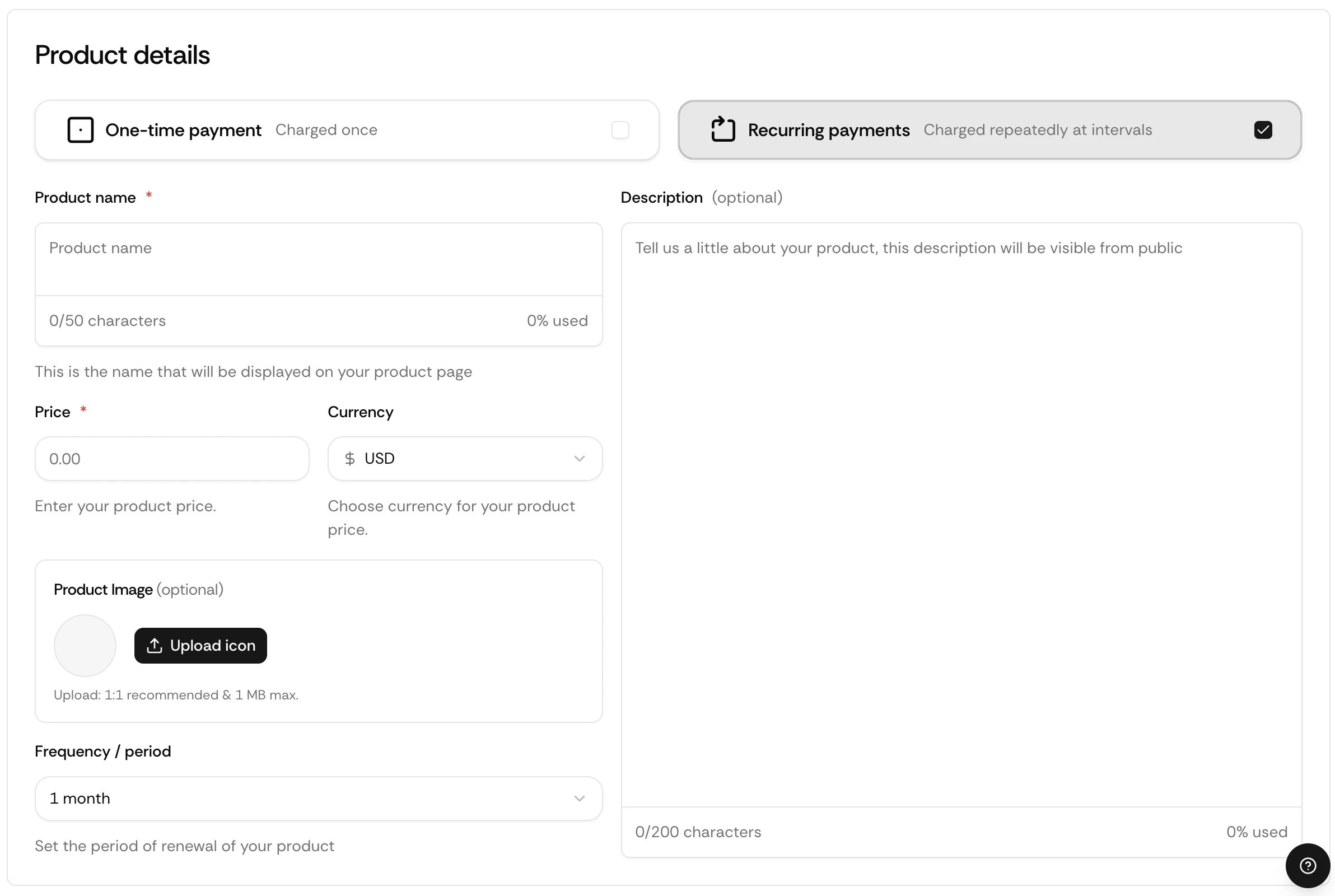
Go to your dashboard and click **Create product**.
Select **Recurring** and choose a billing cycle.
Enter your price in USD.
Select PayLink, API, Discord, or Telegram.
Your subscription is live instantly.
## Via API
Endpoints, parameters, and response objects for Checkout Sessions.
## How It Works
When a customer subscribes, Suby:
The first charge is collected immediately at checkout across the customer's chosen method, card, bank, Apple Pay, Google Pay, or stablecoin.
Applicable taxes are calculated and collected automatically based on the customer's location.
Access is granted based on your configured integration, PayLink, API, Discord, or Telegram.
The subscription renews at the end of each billing cycle. Failed payments trigger dunning automatically.
A `subscription.created` event is sent to your server if you have a webhook configured.
## Use Cases
Monthly or yearly access to software, APIs, or developer tools.
Recurring access to paid Discord roles and private channels.
Subscription-gated Telegram groups and channels.
Paid newsletters, content libraries, and creator memberships.
## Billing Cycles
Suby supports any billing cycle, weekly, monthly, every 3 months, every 6 months, or yearly. You set it when creating your product.
## Dunning
If a renewal payment fails, Suby automatically retries the charge over the following days and notifies the customer to update their payment method. If the payment remains unresolved, the subscription is cancelled and access is revoked.
## Setting Up a Subscription
Go to your dashboard and click **Create product**.
Select **Recurring** and choose a billing cycle.
Enter your price in USD.
Select PayLink, API, Discord, or Telegram.
Your subscription is live instantly.
## Via API
Endpoints, parameters, and response objects for Checkout Sessions.