> ## Documentation Index
> Fetch the complete documentation index at: https://documentation.suby.fi/llms.txt
> Use this file to discover all available pages before exploring further.
# Taxes & VAT Handling
> How Suby calculates, collects, and remits taxes automatically on every transaction.
This page covers the technical details of how tax handling works on Suby. For a product-level overview, see [Global Tax & Compliance](/v2/docs/features/tax-compliance).
## How It Works at Checkout
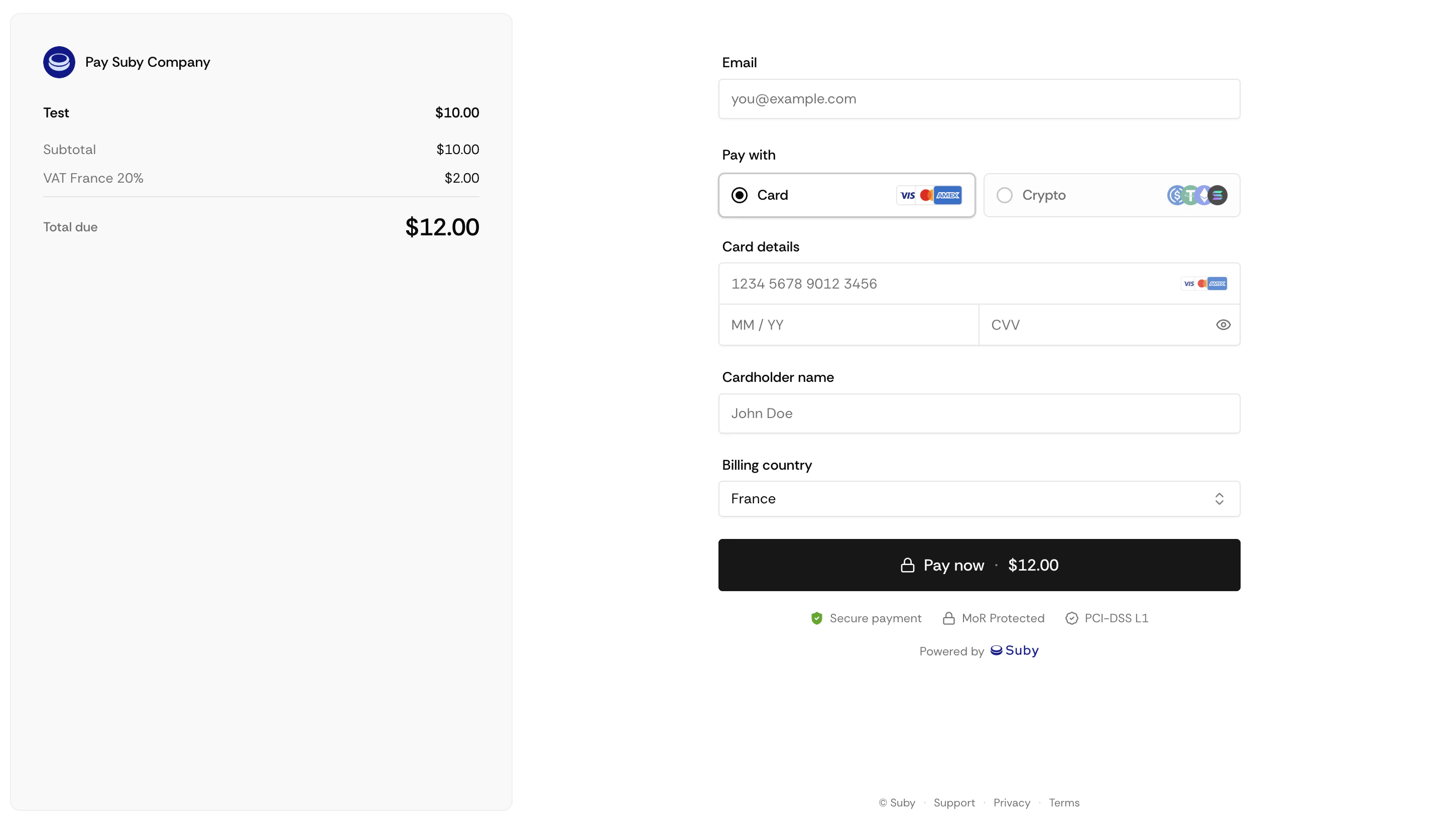
Suby detects the customer's location from their billing address, cross-referenced with IP geolocation.
The applicable tax type and rate for that jurisdiction are identified in real time.
The tax is applied to the transaction automatically, tax-inclusive or tax-exclusive depending on the jurisdiction.
Tax is collected as part of the payment at checkout.
Suby files and remits the tax to the relevant authority on your behalf.
 ## Coverage
| Tax type | Jurisdictions |
| ---------------------------- | ----------------------------------------------------------- |
| VAT (Value Added Tax) | European Union, United Kingdom, and other VAT jurisdictions |
| GST (Goods and Services Tax) | Australia, Canada, India, New Zealand, and others |
| Sales tax | United States, state and local level |
| Digital services taxes | All applicable jurisdictions globally |
## B2B Transactions
For business customers in VAT jurisdictions, Suby supports reverse charge mechanisms where applicable. When a customer provides a valid VAT ID at checkout, the transaction is treated as a B2B sale and the reverse charge is applied automatically.
## What You Remain Responsible For
Tax coverage through Suby applies to sales taxes on transactions, VAT, GST, and equivalent taxes. It does not cover your own income tax or corporate tax obligations in your jurisdiction.
You remain responsible for declaring and paying your own income and corporate tax. If you have specific questions about how taxes apply to your business, consult a tax advisor or [contact the Suby team](https://www.suby.fi/support).
## FAQ
Yes. In jurisdictions where tax-inclusive pricing is standard (such as most of the EU), the price shown already includes tax. In others (such as the US), tax is shown as a separate line item.
Suby uses a combination of billing address and IP geolocation to determine the customer's location. If the two signals conflict, additional checks are applied. Fraudulent location misrepresentation is the customer's liability, not yours.
Yes. Your dashboard shows a breakdown of taxes collected per transaction and per period, which you can export for your own accounting records.
Yes. Suby calculates and remits US sales tax at the state and local level based on the customer's location, including economic nexus rules. You do not need to track nexus thresholds yourself.
## Coverage
| Tax type | Jurisdictions |
| ---------------------------- | ----------------------------------------------------------- |
| VAT (Value Added Tax) | European Union, United Kingdom, and other VAT jurisdictions |
| GST (Goods and Services Tax) | Australia, Canada, India, New Zealand, and others |
| Sales tax | United States, state and local level |
| Digital services taxes | All applicable jurisdictions globally |
## B2B Transactions
For business customers in VAT jurisdictions, Suby supports reverse charge mechanisms where applicable. When a customer provides a valid VAT ID at checkout, the transaction is treated as a B2B sale and the reverse charge is applied automatically.
## What You Remain Responsible For
Tax coverage through Suby applies to sales taxes on transactions, VAT, GST, and equivalent taxes. It does not cover your own income tax or corporate tax obligations in your jurisdiction.
You remain responsible for declaring and paying your own income and corporate tax. If you have specific questions about how taxes apply to your business, consult a tax advisor or [contact the Suby team](https://www.suby.fi/support).
## FAQ
Yes. In jurisdictions where tax-inclusive pricing is standard (such as most of the EU), the price shown already includes tax. In others (such as the US), tax is shown as a separate line item.
Suby uses a combination of billing address and IP geolocation to determine the customer's location. If the two signals conflict, additional checks are applied. Fraudulent location misrepresentation is the customer's liability, not yours.
Yes. Your dashboard shows a breakdown of taxes collected per transaction and per period, which you can export for your own accounting records.
Yes. Suby calculates and remits US sales tax at the state and local level based on the customer's location, including economic nexus rules. You do not need to track nexus thresholds yourself.