> ## Documentation Index
> Fetch the complete documentation index at: https://documentation.suby.fi/llms.txt
> Use this file to discover all available pages before exploring further.
# Suby Sandbox
> Test payments end-to-end without touching real funds.
The Suby Sandbox mirrors the full production experience. Create products, simulate card and crypto payments, and verify webhooks, all in a safe testing environment.
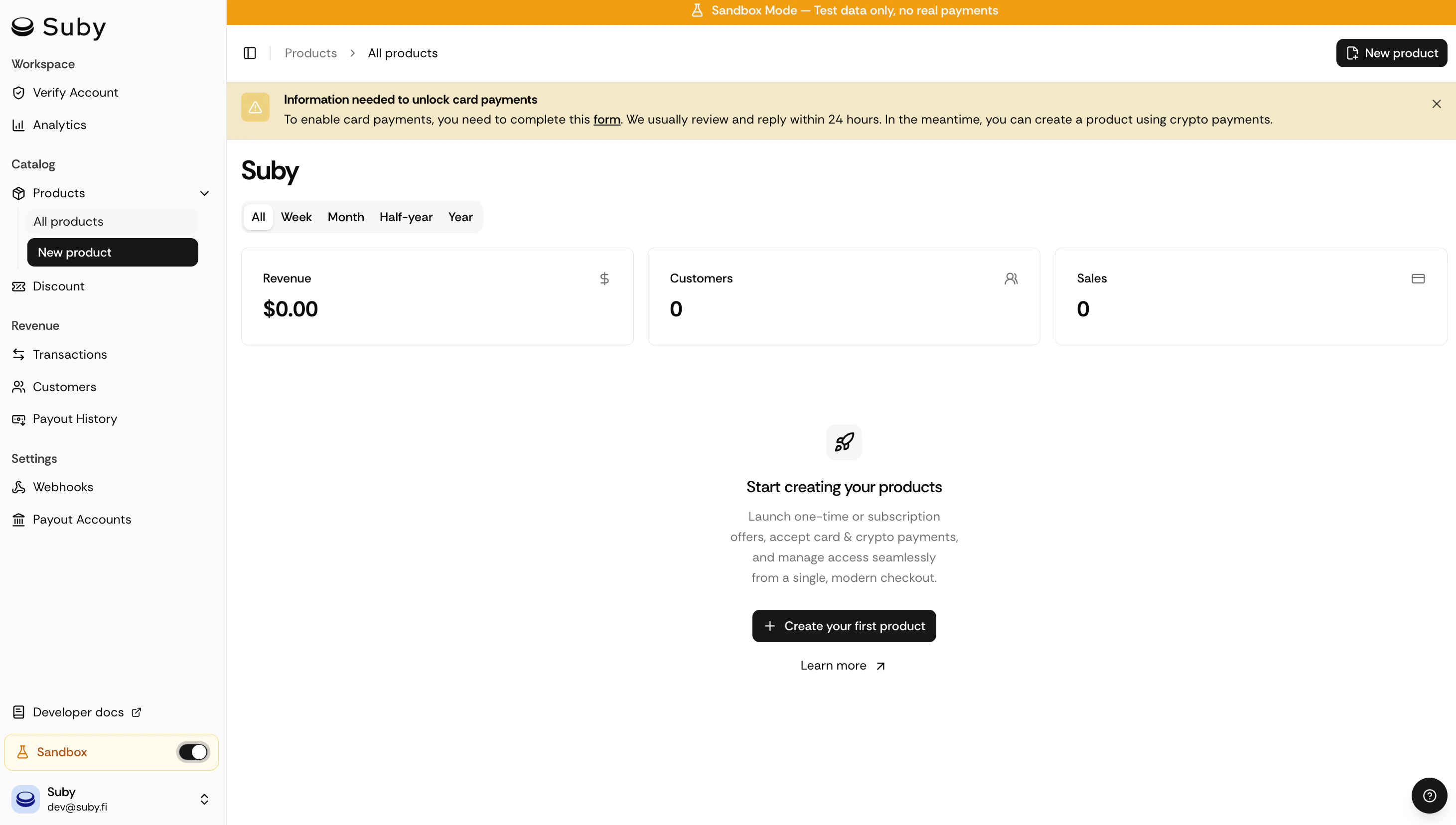 ## Create a test product
You can create a product in sandbox mode using any of these methods:
Create a product from the dashboard, no code required. Generate a PayLink and share it to test the full checkout flow.
Programmatically create products, checkout sessions, and manage subscriptions via the Suby API.
Use the sandbox base URL to test the full API lifecycle without side effects.
## Simulate a payment
Once your product is created, open the generated checkout link to run a test payment:
```text theme={null}
https://checkout.suby.fi/p/pro_nh5ts1yir4hva744jpvln1ek
```
## Create a test product
You can create a product in sandbox mode using any of these methods:
Create a product from the dashboard, no code required. Generate a PayLink and share it to test the full checkout flow.
Programmatically create products, checkout sessions, and manage subscriptions via the Suby API.
Use the sandbox base URL to test the full API lifecycle without side effects.
## Simulate a payment
Once your product is created, open the generated checkout link to run a test payment:
```text theme={null}
https://checkout.suby.fi/p/pro_nh5ts1yir4hva744jpvln1ek
```
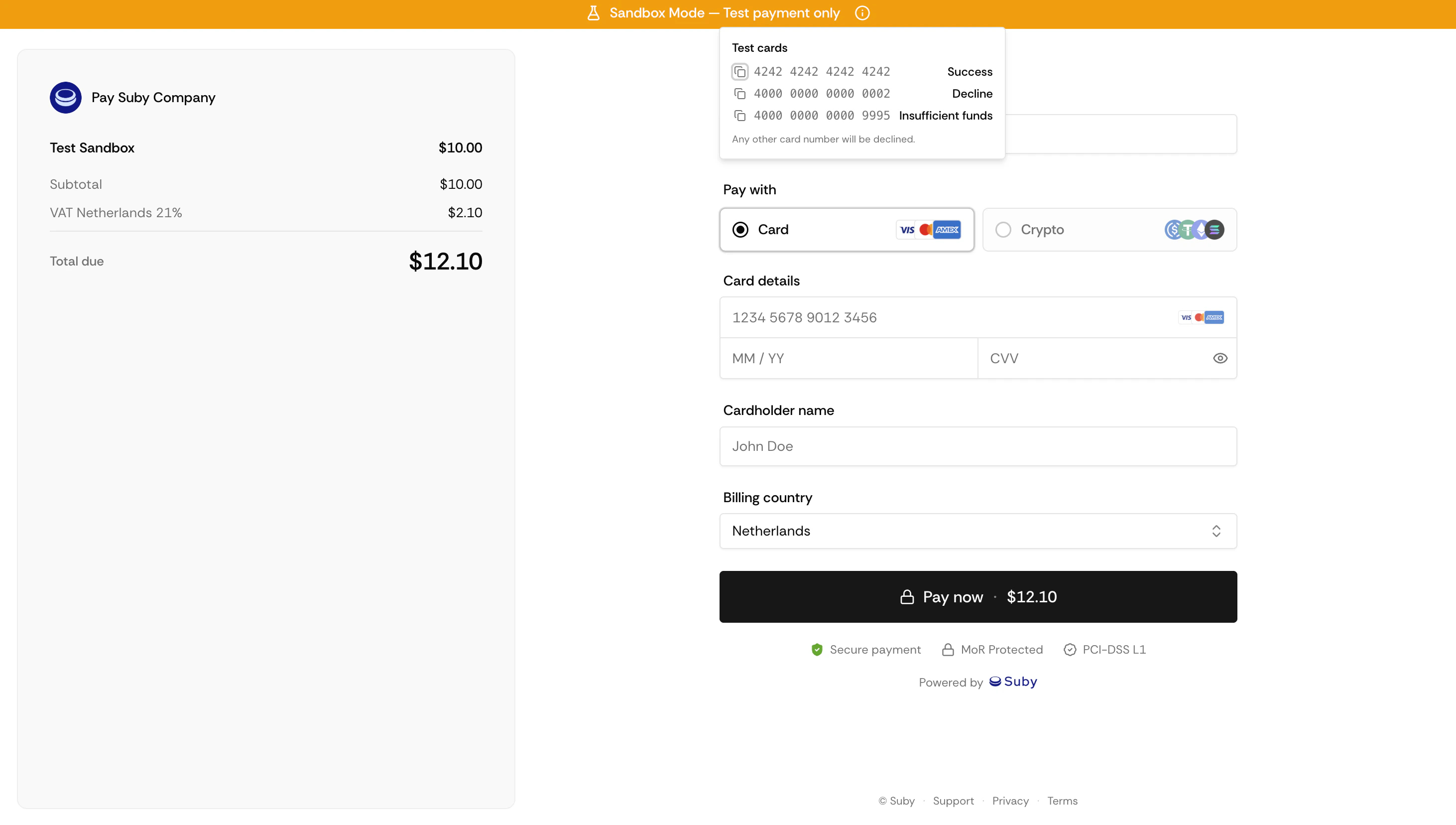 \
You can pay with a test card or with crypto on Base Sepolia testnet.
Use these test card numbers at checkout to simulate different outcomes. Any future expiration date, any CVC, any billing address.
| Card number | Result |
| :-------------------- | :----------------- |
| `4242 4242 4242 4242` | Success |
| `4000 0000 0000 0002` | Declined |
| `4000 0000 0000 9995` | Insufficient funds |
Any other card number will be declined.
The sandbox supports **USDC** and **ETH** on the **Base Sepolia** testnet. You'll need testnet tokens to simulate a payment.
### Get testnet tokens
| Token | Faucet |
| :------- | :------------------------------------------------------------------------------- |
| **USDC** | [faucet.circle.com](https://faucet.circle.com/) |
| **ETH** | [alchemy.com/faucets/base-sepolia](https://www.alchemy.com/faucets/base-sepolia) |
### Pay at checkout
Two options are available at the checkout page:
* **WalletConnect** — connect your wallet (MetaMask, Rainbow, etc.) and approve the transaction on Base Sepolia.
* **Direct deposit** — send tokens directly to the payment address displayed at checkout.
Make sure your wallet is connected to the **Base Sepolia** network before initiating a payment.
## Verify the payment
After completing a test payment, head to your [dashboard](https://app.suby.fi/) to check the transaction status, inspect webhook deliveries, and confirm that your integration works as expected.
You can also listen for sandbox webhooks to test your backend logic. Webhook events in sandbox mode are identical to production.
Endpoints, authentication, and webhooks.
Generate and share checkout links.
\
You can pay with a test card or with crypto on Base Sepolia testnet.
Use these test card numbers at checkout to simulate different outcomes. Any future expiration date, any CVC, any billing address.
| Card number | Result |
| :-------------------- | :----------------- |
| `4242 4242 4242 4242` | Success |
| `4000 0000 0000 0002` | Declined |
| `4000 0000 0000 9995` | Insufficient funds |
Any other card number will be declined.
The sandbox supports **USDC** and **ETH** on the **Base Sepolia** testnet. You'll need testnet tokens to simulate a payment.
### Get testnet tokens
| Token | Faucet |
| :------- | :------------------------------------------------------------------------------- |
| **USDC** | [faucet.circle.com](https://faucet.circle.com/) |
| **ETH** | [alchemy.com/faucets/base-sepolia](https://www.alchemy.com/faucets/base-sepolia) |
### Pay at checkout
Two options are available at the checkout page:
* **WalletConnect** — connect your wallet (MetaMask, Rainbow, etc.) and approve the transaction on Base Sepolia.
* **Direct deposit** — send tokens directly to the payment address displayed at checkout.
Make sure your wallet is connected to the **Base Sepolia** network before initiating a payment.
## Verify the payment
After completing a test payment, head to your [dashboard](https://app.suby.fi/) to check the transaction status, inspect webhook deliveries, and confirm that your integration works as expected.
You can also listen for sandbox webhooks to test your backend logic. Webhook events in sandbox mode are identical to production.
Endpoints, authentication, and webhooks.
Generate and share checkout links.