> ## Documentation Index
> Fetch the complete documentation index at: https://documentation.suby.fi/llms.txt
> Use this file to discover all available pages before exploring further.
# Discord Checkout (Optional)
> Create a Discord-native checkout channel for all your paid access links, with a built-in checkout.
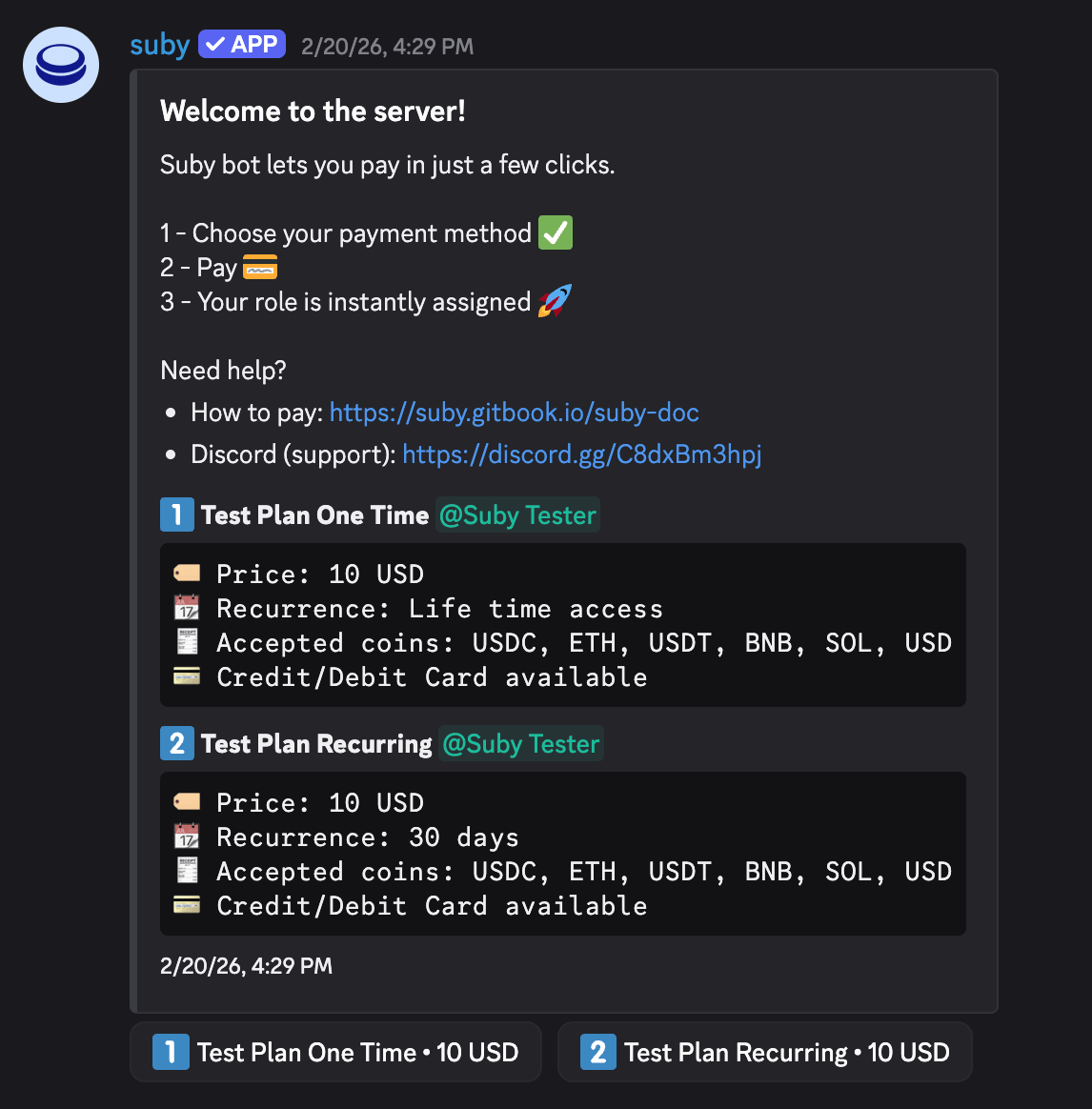
The Discord Checkout is an optional step. It creates a dedicated checkout channel inside your server that displays all your paid products with a built-in checkout — subscribers pay without ever leaving Discord.
Before setting up the Discord Checkout, make sure you have completed the [Discord Integration Setup](/v2/guides/discord/setup).
## When to Use It
One dedicated channel with all your paid access links, no external landing page needed.
A checkout experience entirely inside Discord. No redirects, no friction.
## Setup
Open the server where the Suby bot is already installed and active.
Type `/checkout` in any channel the bot has access to. The bot will create a dedicated checkout channel inside your server.
The bot publishes your checkout inside the channel, your paid product(s) are displayed with a built-in checkout button.
 ## User Flow
Once the checkout is live, the entire experience runs inside Discord.
The user clicks the checkout button directly inside the Discord channel.
## User Flow
Once the checkout is live, the entire experience runs inside Discord.
The user clicks the checkout button directly inside the Discord channel.
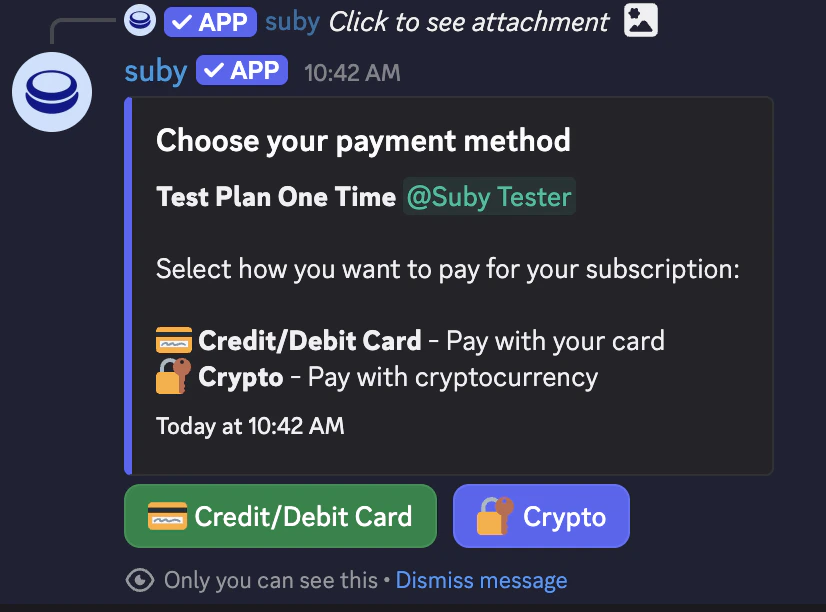 The Suby bot delivers the checkout flow natively inside Discord.
Once payment is confirmed, the paid role is assigned instantly and the user gets access to the gated channels.
Fully automated, built-in checkout, no external links, entirely native to Discord.
The Suby bot delivers the checkout flow natively inside Discord.
Once payment is confirmed, the paid role is assigned instantly and the user gets access to the gated channels.
Fully automated, built-in checkout, no external links, entirely native to Discord.