> ## Documentation Index
> Fetch the complete documentation index at: https://documentation.suby.fi/llms.txt
> Use this file to discover all available pages before exploring further.
# Notification Setup
> Configure renewal reminders and subscription notifications for your Discord server.
Suby sends automated notifications inside Discord to keep both you and your members informed. Use the slash commands below to configure where each notification is sent.
## Notification Commands
Links a reminder channel so subscribers receive renewal alerts before their access expires.
Only required for crypto payments. Card payments are automatically debited, no reminders needed.
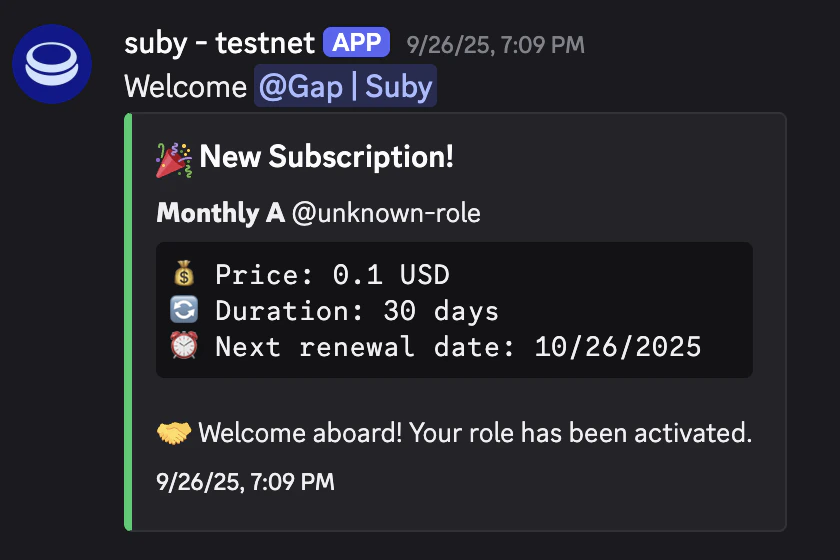
Get notified when a new member subscribes.
Recommended in a public channel for social proof.
Get notified when a member renews their subscription.
Recommended in a public channel for stronger community impact.
Get notified when a member cancels their subscription.
## Default Notification Messages
Notifications are not customizable at the moment. Here is what they look like by default.