> ## Documentation Index
> Fetch the complete documentation index at: https://documentation.suby.fi/llms.txt
> Use this file to discover all available pages before exploring further.
# Discord Overview
> Accept payments and manage paid access for your Discord server with Suby.
The Suby bot acts as an access controller for your Discord community. It grants, manages, and revokes access to private channels automatically based on payment status, no custom code required.
## How It Works
Discord access is controlled through roles. A paid role unlocks private channels, and losing that role immediately removes access. Suby automates the entire lifecycle.
Once a payment is confirmed, the Suby bot assigns the paid role instantly, even if the user is not yet a member of your server. New members are invited automatically.
Access is revoked automatically when a payment fails, a card subscription fails to renew, or a crypto subscription is not renewed after the reminder period.
The bot notifies members of successful payments, upcoming renewal reminders (crypto subscriptions), and access removal, reducing churn and confusion.
Grant temporary access to any user using the `/freedays` command. The role is assigned for a fixed period and removed automatically when it expires. Useful for trials, giveaways, or manual exceptions.
## Access Lifecycle
The customer completes payment via your PayLink or native Discord checkout.
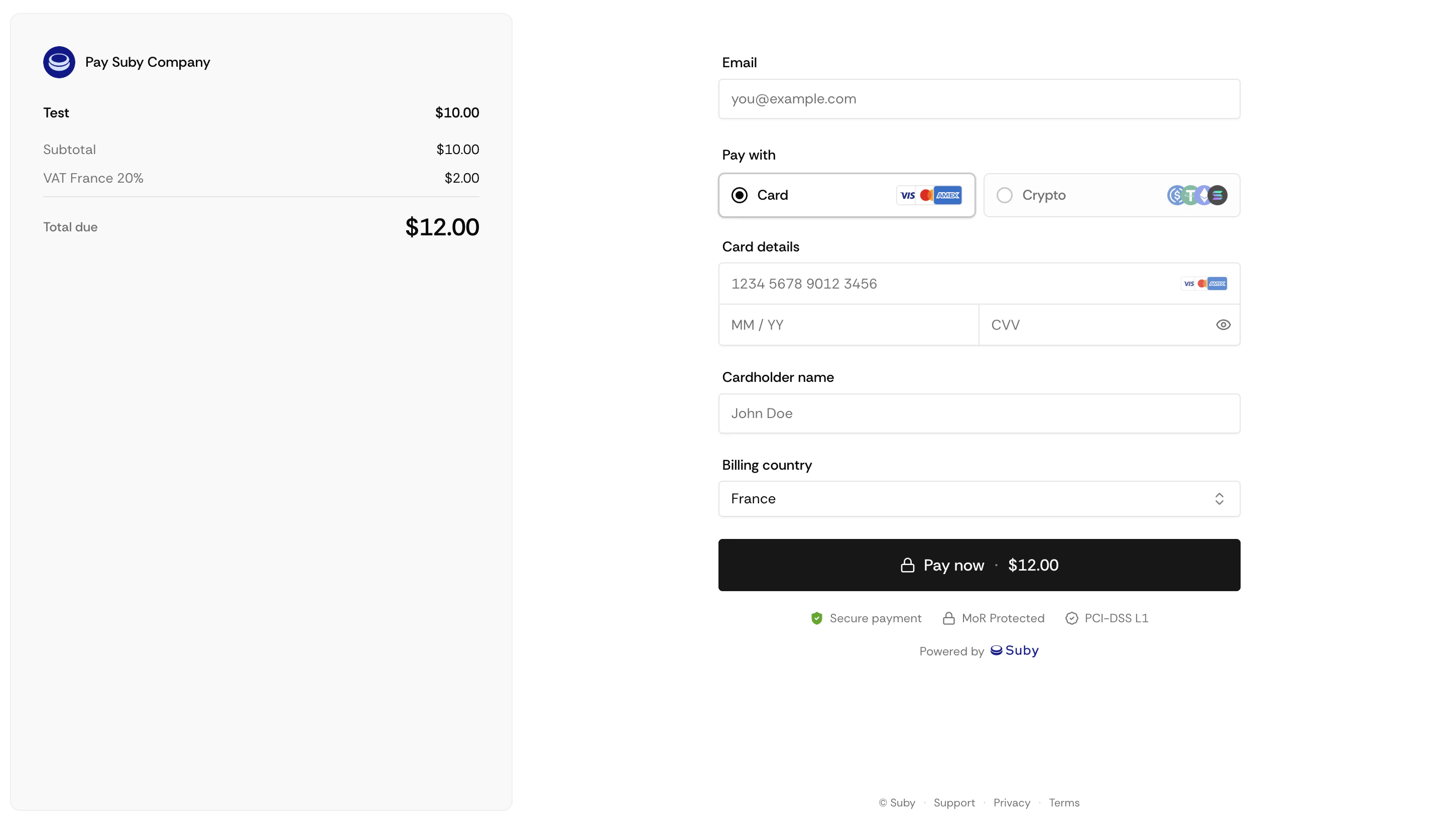
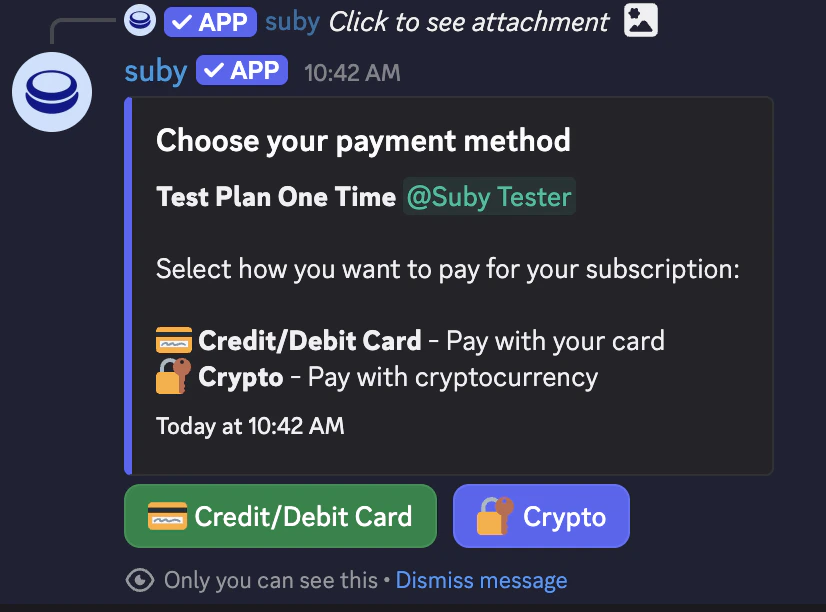 The Suby bot assigns the paid role instantly. If the customer is not yet in your server, they receive an invite automatically.
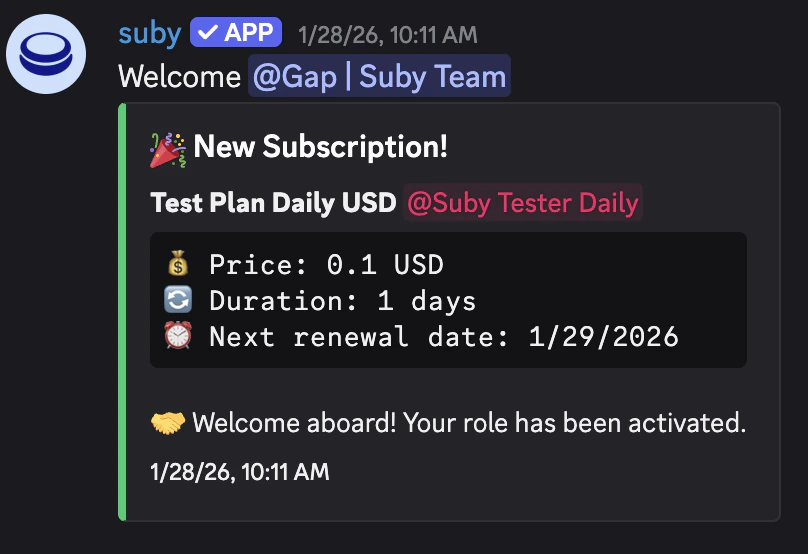 Access is maintained automatically for the duration of the subscription. No manual action required.
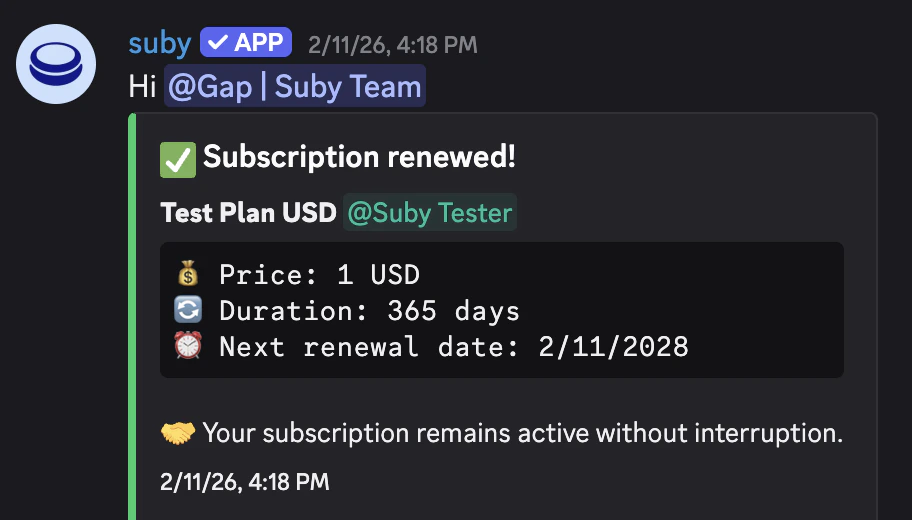
On renewal, nothing changes, the role stays assigned and access continues uninterrupted.
Access is maintained automatically for the duration of the subscription. No manual action required.
On renewal, nothing changes, the role stays assigned and access continues uninterrupted.
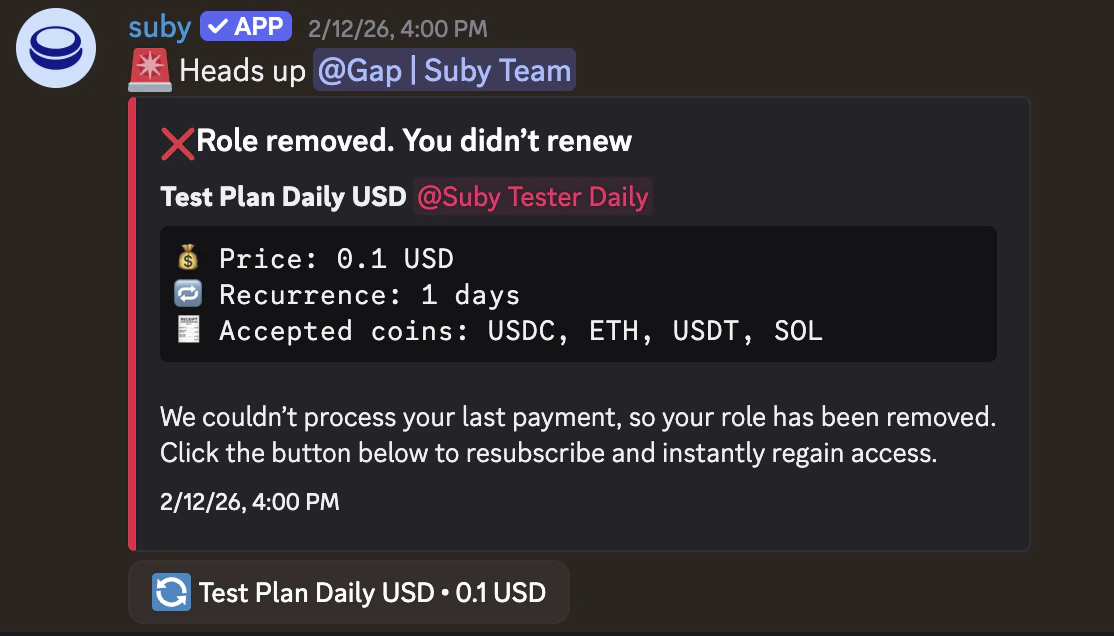
 The role is revoked automatically. The member is notified inside Discord.
 ## Renewal & Access Removal
If a card renewal fails, Suby retries the charge over the following days. If the payment remains unresolved, the role is revoked and the member is notified.
Suby sends a renewal reminder to the member before their access period ends. If the subscription is not renewed, the role is removed automatically after the reminder period.
## Renewal & Access Removal
If a card renewal fails, Suby retries the charge over the following days. If the payment remains unresolved, the role is revoked and the member is notified.
Suby sends a renewal reminder to the member before their access period ends. If the subscription is not renewed, the role is removed automatically after the reminder period.
 You can manually revoke or grant access at any time from your Suby dashboard, independently of the subscription state.
## Free Days
Use the `/freedays` command to grant temporary access to any user without requiring a payment.
The role is assigned for a fixed number of days and removed automatically when the free period ends. Useful for trials, giveaways, or manual exceptions.
You can manually revoke or grant access at any time from your Suby dashboard, independently of the subscription state.
## Free Days
Use the `/freedays` command to grant temporary access to any user without requiring a payment.
The role is assigned for a fixed number of days and removed automatically when the free period ends. Useful for trials, giveaways, or manual exceptions.