> ## Documentation Index
> Fetch the complete documentation index at: https://documentation.suby.fi/llms.txt
> Use this file to discover all available pages before exploring further.
# Telegram Integration Setup
> Connect your Telegram group or channel to Suby and start gating access in minutes.
This guide walks you through connecting your Telegram group or channel to Suby. The setup happens between the Suby dashboard and the Suby Telegram bot, follow the steps in order.
Follow the Quickstart guide to set up your first product in under 2 minutes.
## Setup
Open the Suby Telegram bot and follow the linking flow. This connects your Telegram account to your Suby dashboard.
Once the linking is complete, come back to the platform to continue.
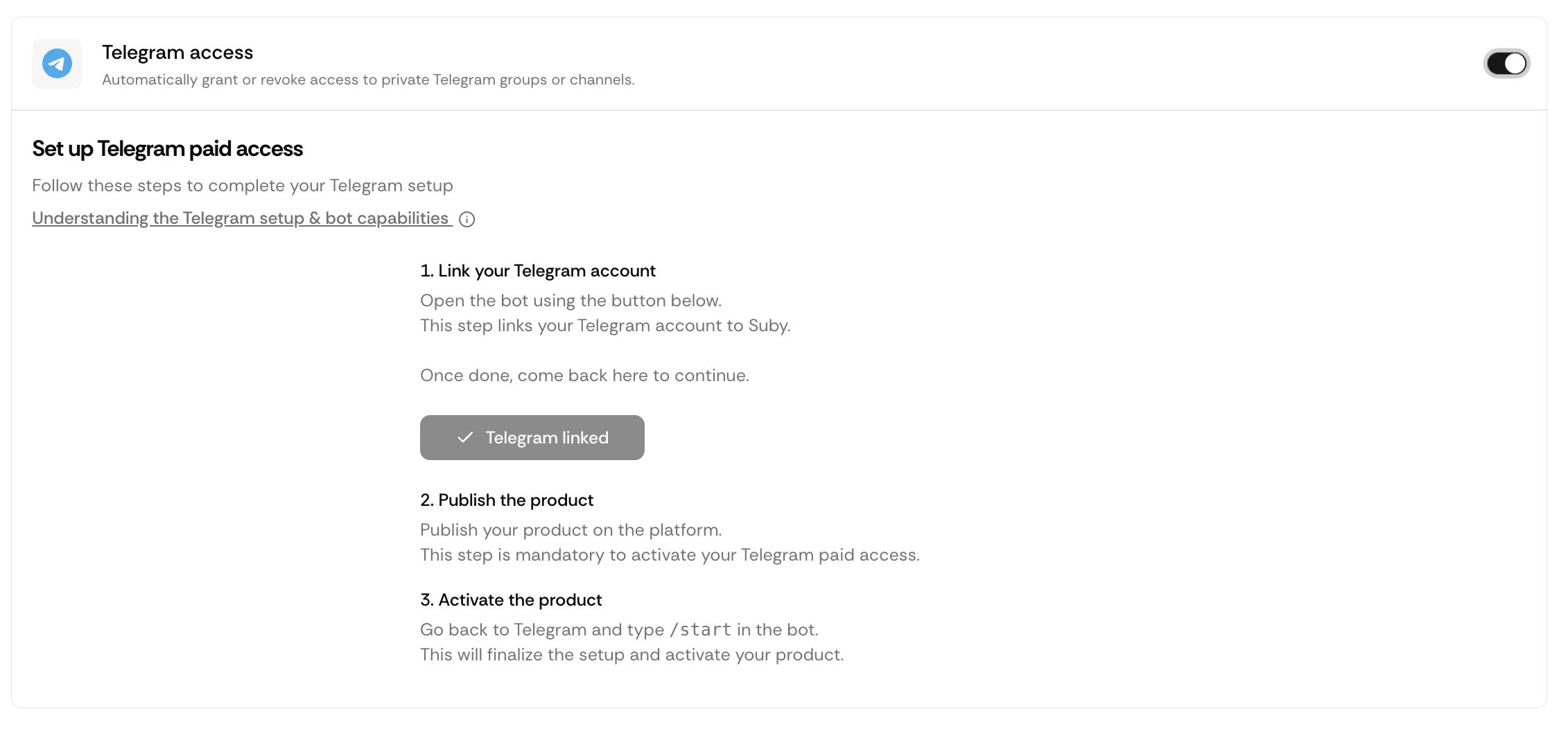 Once your Telegram account is linked, publish your product from the Suby dashboard.
Publishing is required before the bot can activate the product. The bot cannot gate access to an unpublished product.
Go back to the Suby Telegram bot and type **/start**. Follow the steps displayed by the bot.
Click **Create Paid Access**.
Once your Telegram account is linked, publish your product from the Suby dashboard.
Publishing is required before the bot can activate the product. The bot cannot gate access to an unpublished product.
Go back to the Suby Telegram bot and type **/start**. Follow the steps displayed by the bot.
Click **Create Paid Access**.
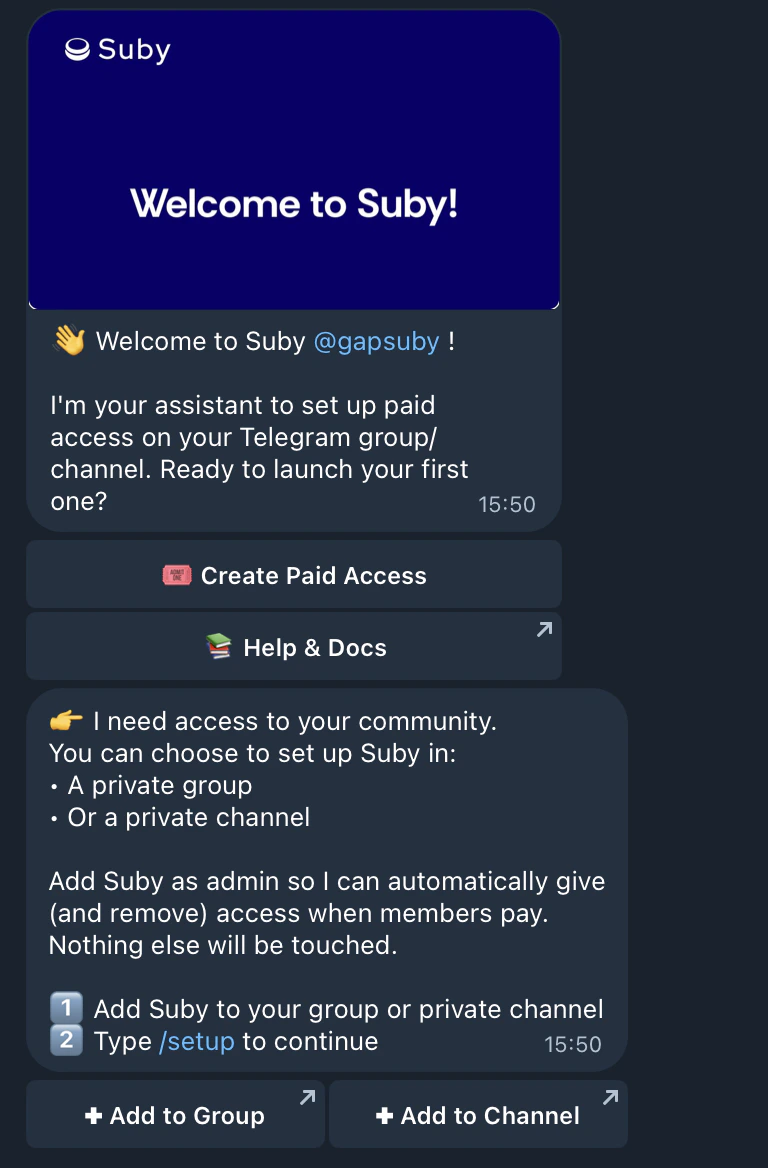 Add the Suby bot to the private group or channel you want to gate, and grant it the required admin permissions.
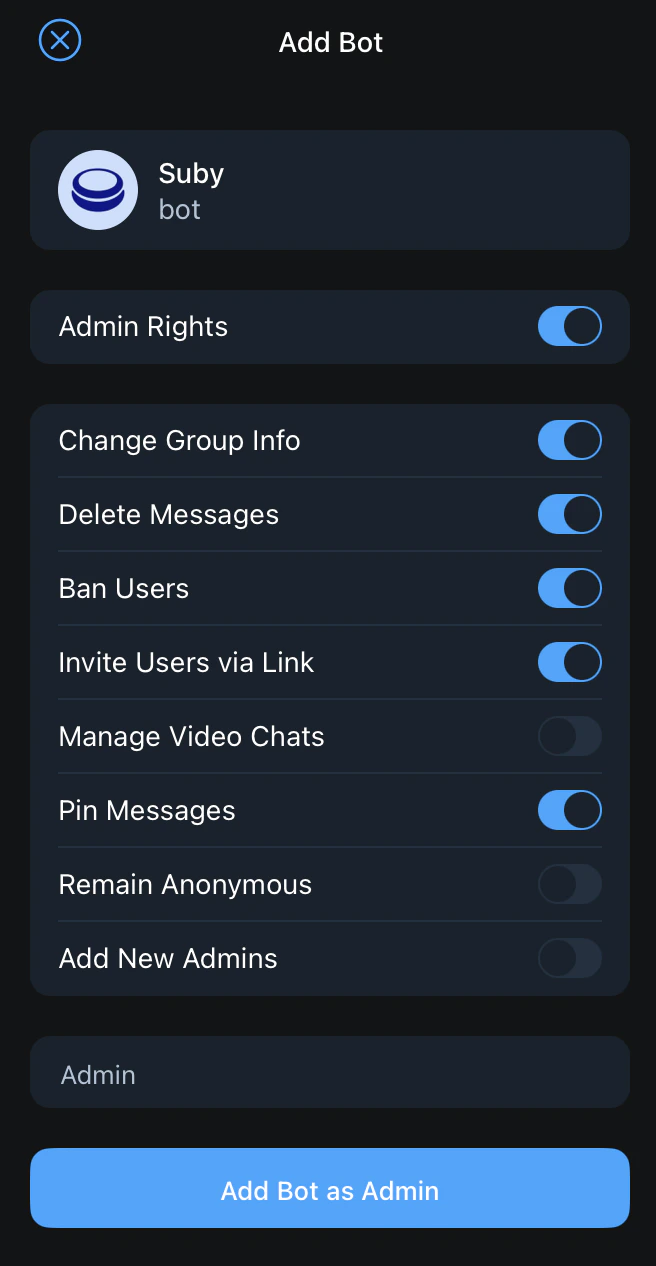 Without the correct permissions, the bot will not be able to manage member entry and removal. Make sure to grant admin rights before continuing.
Once the bot is added, go back to the bot and type **/setup**. Select the product you want to associate with your gated group or channel.
Without the correct permissions, the bot will not be able to manage member entry and removal. Make sure to grant admin rights before continuing.
Once the bot is added, go back to the bot and type **/setup**. Select the product you want to associate with your gated group or channel.
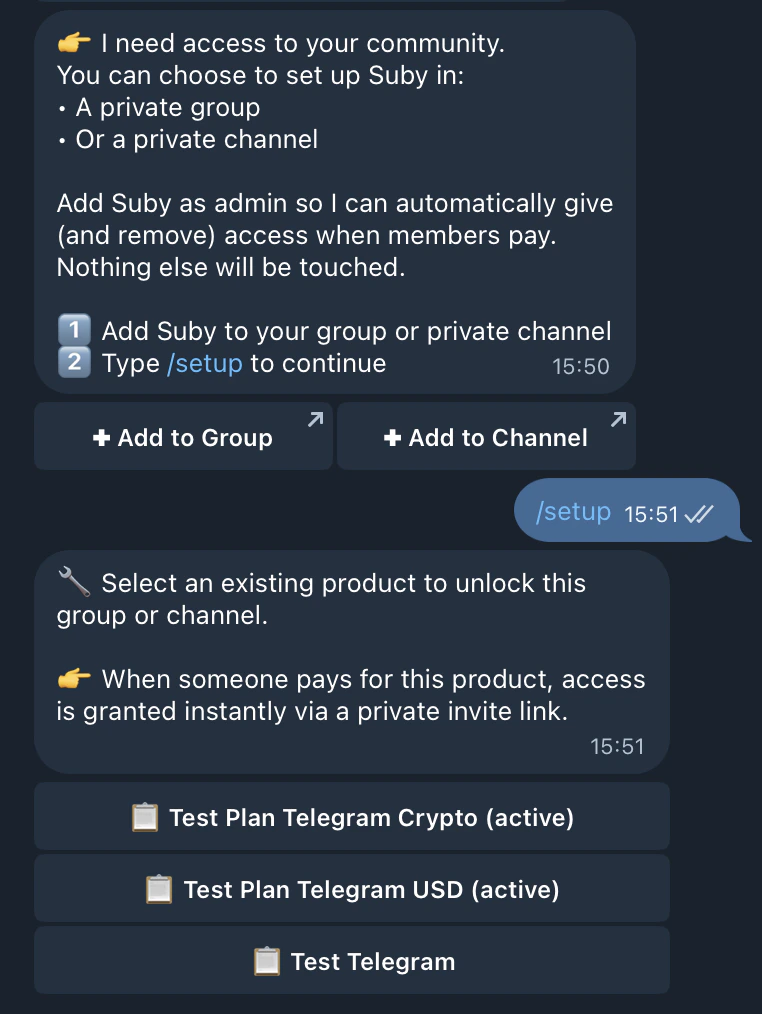
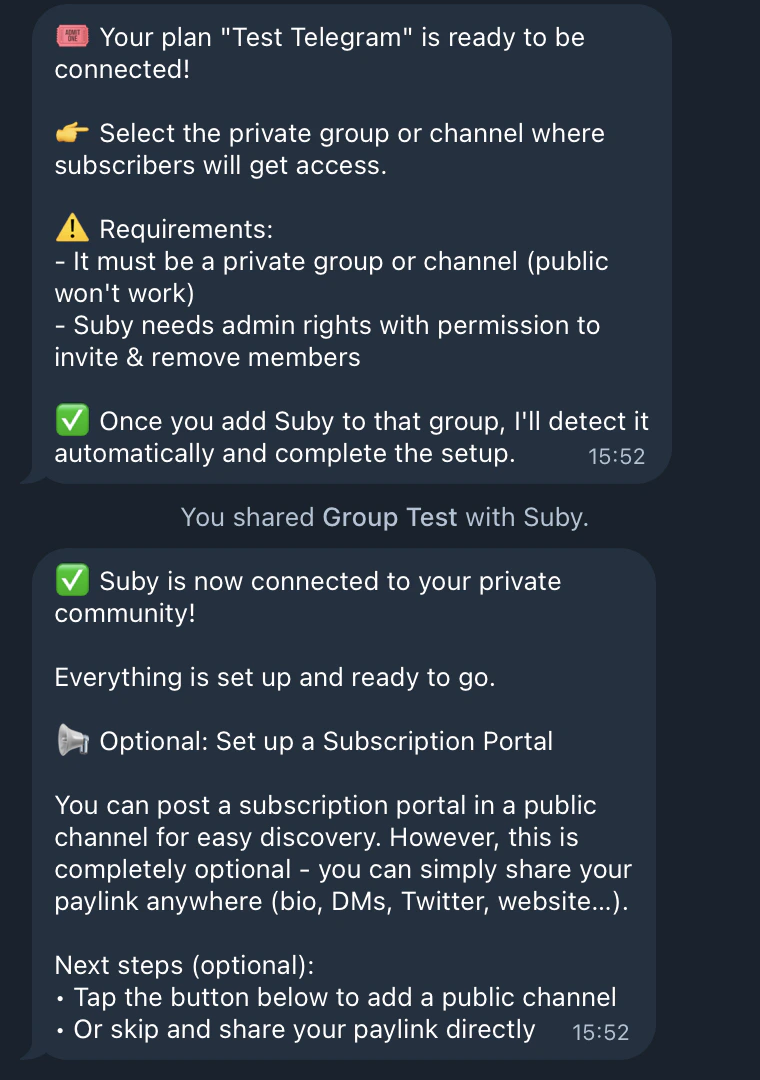 Run /setup only after the bot has been added to the group or channel. Running it before will not work.
## You're Live
Once the link between Suby and your private community is complete, you have two options to share access:
Share your PayLink directly with your audience. Customers pay and receive access instantly.
Create a public-facing checkout page for your Telegram community.
Run /setup only after the bot has been added to the group or channel. Running it before will not work.
## You're Live
Once the link between Suby and your private community is complete, you have two options to share access:
Share your PayLink directly with your audience. Customers pay and receive access instantly.
Create a public-facing checkout page for your Telegram community.