Before setting up the Discord Checkout, make sure you have completed the Discord Integration Setup.
When to Use It
Single Entry Point
One dedicated channel with all your paid access links, no external landing page needed.
Built-in Checkout
A checkout experience entirely inside Discord. No redirects, no friction.
Setup
1
Go to your Discord server
Open the server where the Suby bot is already installed and active.
2
Run the /checkout command
Type
/checkout in any channel the bot has access to. The bot will create a dedicated checkout channel inside your server.3
Checkout is live
The bot publishes your checkout inside the channel, your paid product(s) are displayed with a built-in checkout button.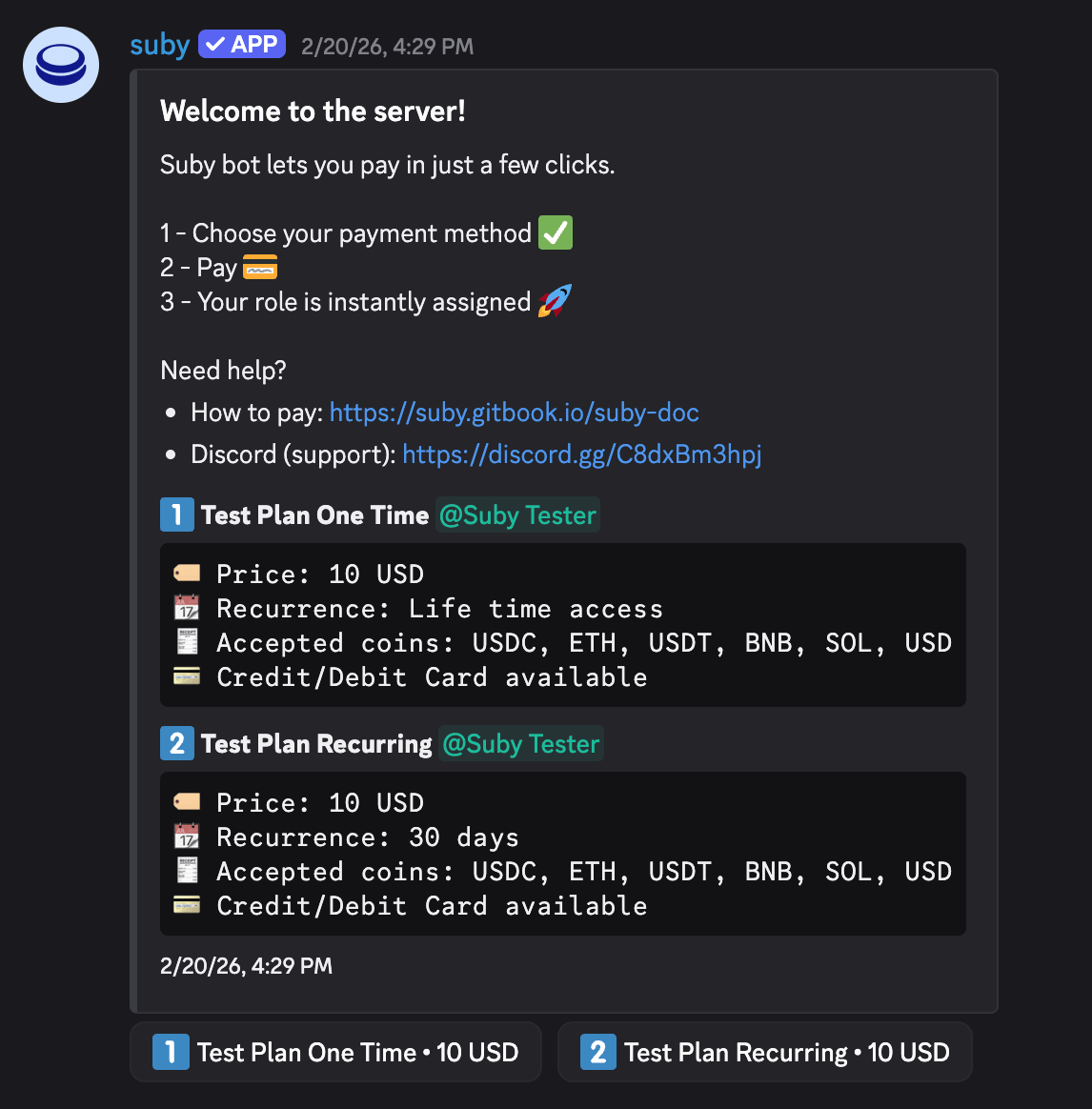
User Flow
Once the checkout is live, the entire experience runs inside Discord.1
User clicks Pay
The user clicks the checkout button directly inside the Discord channel.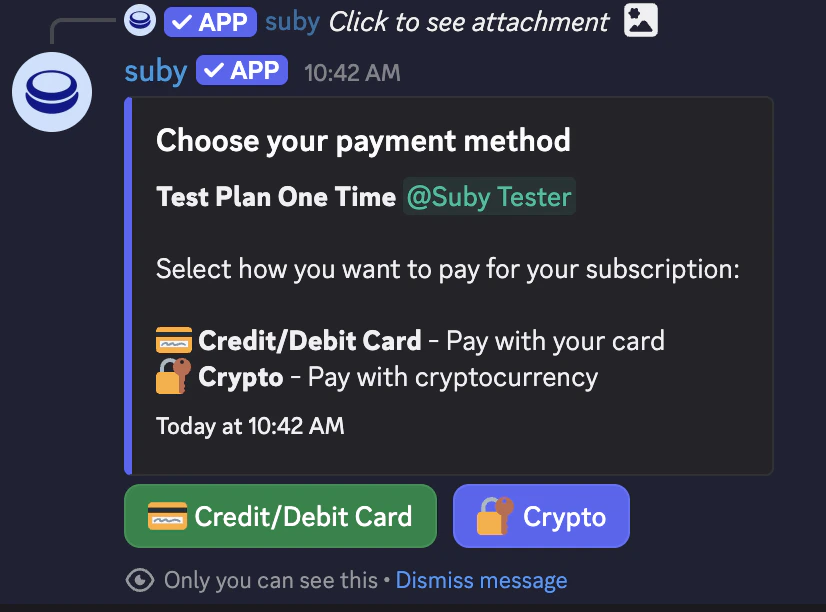
2
Built-in checkout delivered
The Suby bot delivers the checkout flow natively inside Discord.
3
Access granted
Once payment is confirmed, the paid role is assigned instantly and the user gets access to the gated channels.
Fully automated, built-in checkout, no external links, entirely native to Discord.