

The Discord Checkout is an optional step. It creates a dedicated checkout channel inside your server that displays all your paid products with a built-in checkout — subscribers pay without ever leaving Discord.
Before setting up the Discord Checkout, make sure you have completed the Discord Integration Setup.

When to Use It

Single Entry Point

One dedicated channel with all your paid access links, no external landing page needed.

Built-in Checkout

A checkout experience entirely inside Discord. No redirects, no friction.

Setup

1

Go to your Discord server

Open the server where the Suby bot is already installed and active.
2

Run the /checkout command

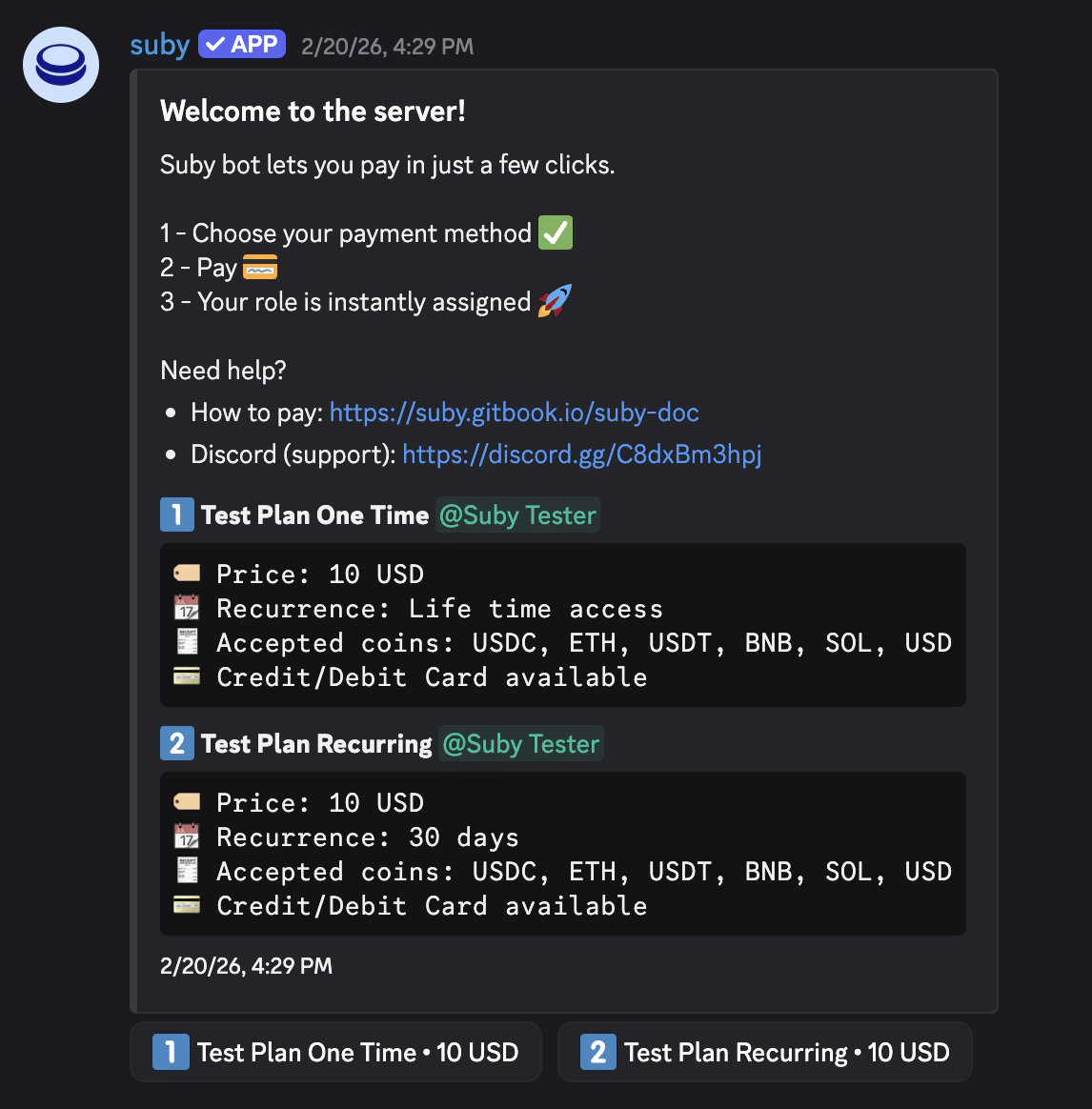
Type /checkout in any channel the bot has access to. The bot will create a dedicated checkout channel inside your server.
3

Checkout is live

The bot publishes your checkout inside the channel, your paid product(s) are displayed with a built-in checkout button.
Captured’écran2026 03 13à12 17 46

User Flow

Once the checkout is live, the entire experience runs inside Discord.
1

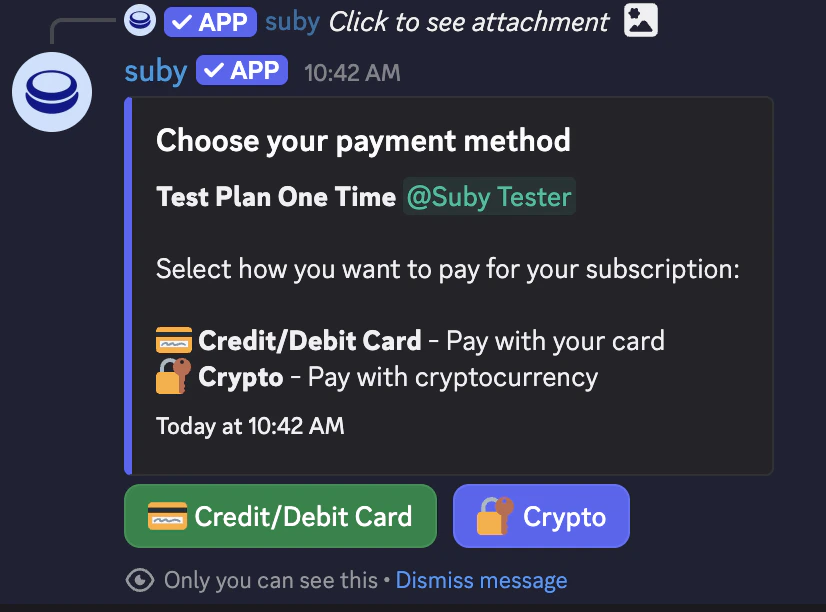
User clicks Pay

The user clicks the checkout button directly inside the Discord channel.
Checkoutdiscord
2

Built-in checkout delivered

The Suby bot delivers the checkout flow natively inside Discord.
3

Access granted

Once payment is confirmed, the paid role is assigned instantly and the user gets access to the gated channels.
Fully automated, built-in checkout, no external links — entirely native to Discord.