

Haven't created a product yet?
Follow the Quickstart guide to set up your first product in under 2 minutes.
Setup
Connect your Telegram account
Open the Suby Telegram bot and follow the linking flow. This connects your Telegram account to your Suby dashboard.Once the linking is complete, come back to the platform to continue.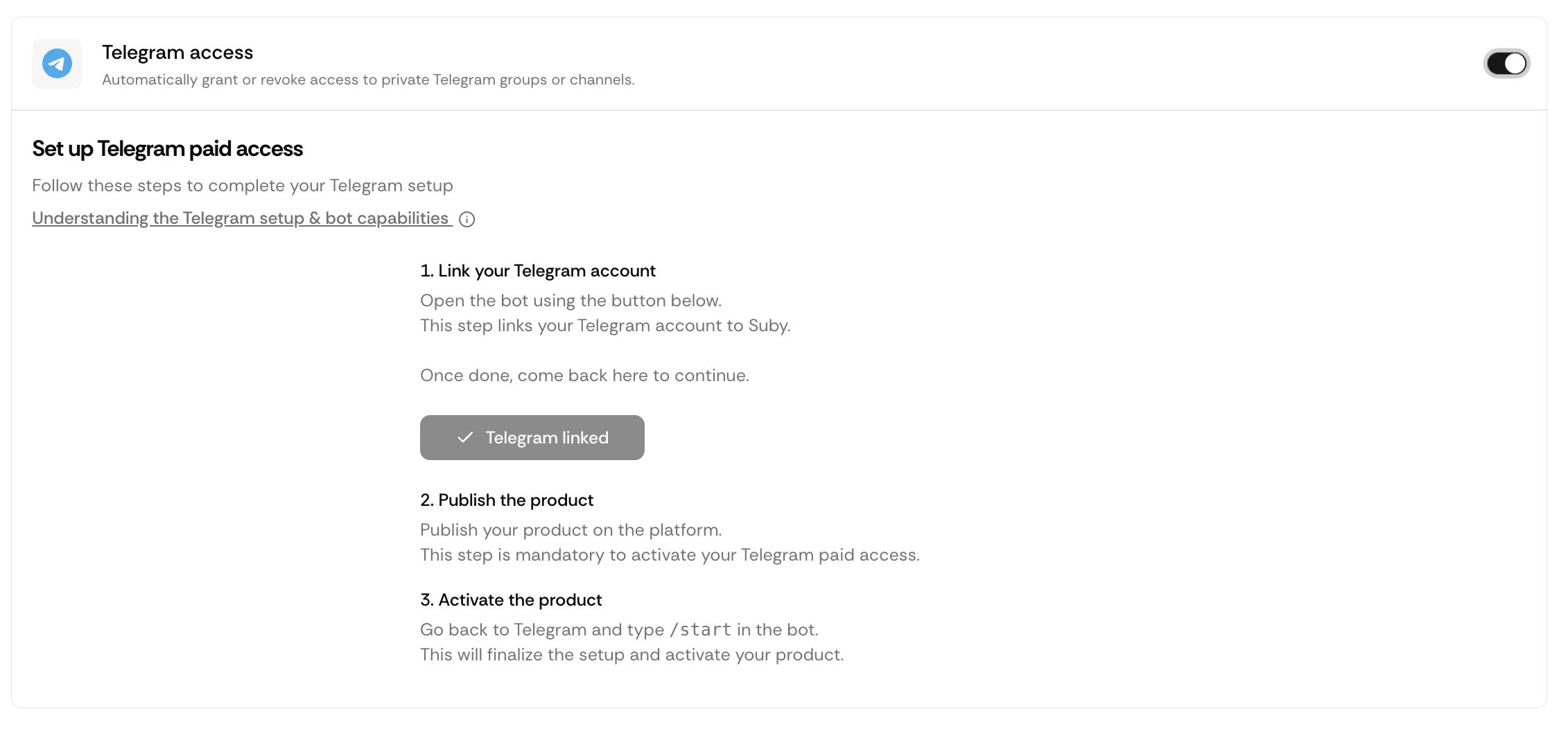
Publish your product
Once your Telegram account is linked, publish your product from the Suby dashboard.
Publishing is required before the bot can activate the product. The bot cannot gate access to an unpublished product.
Activate the product on Telegram
Go back to the Suby Telegram bot and type /start. Follow the steps displayed by the bot.Click Create Paid Access.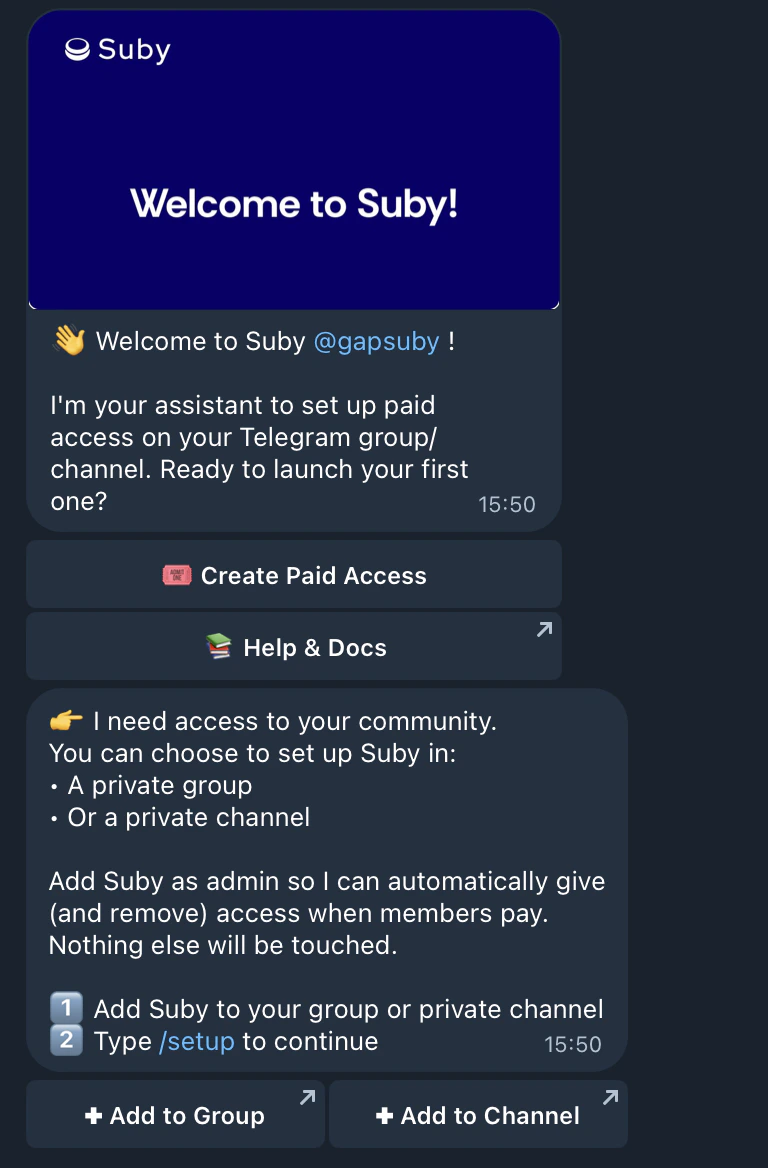
Add the Suby bot to your group or channel
Add the Suby bot to the private group or channel you want to gate, and grant it the required admin permissions.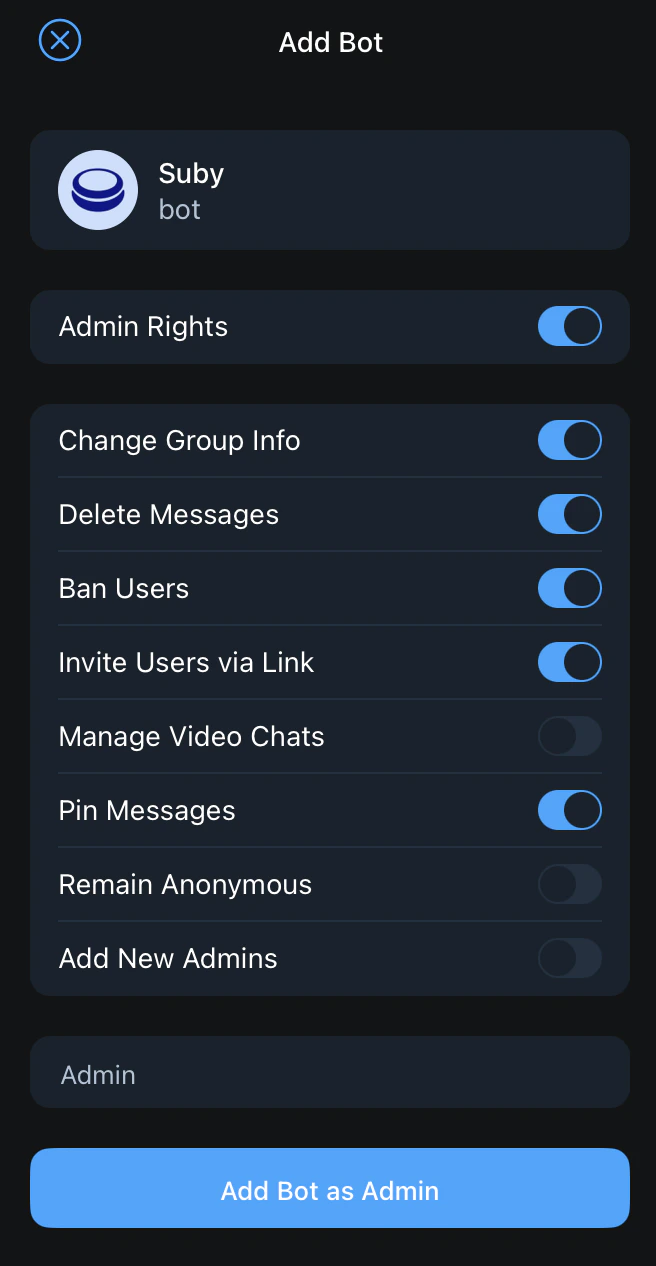
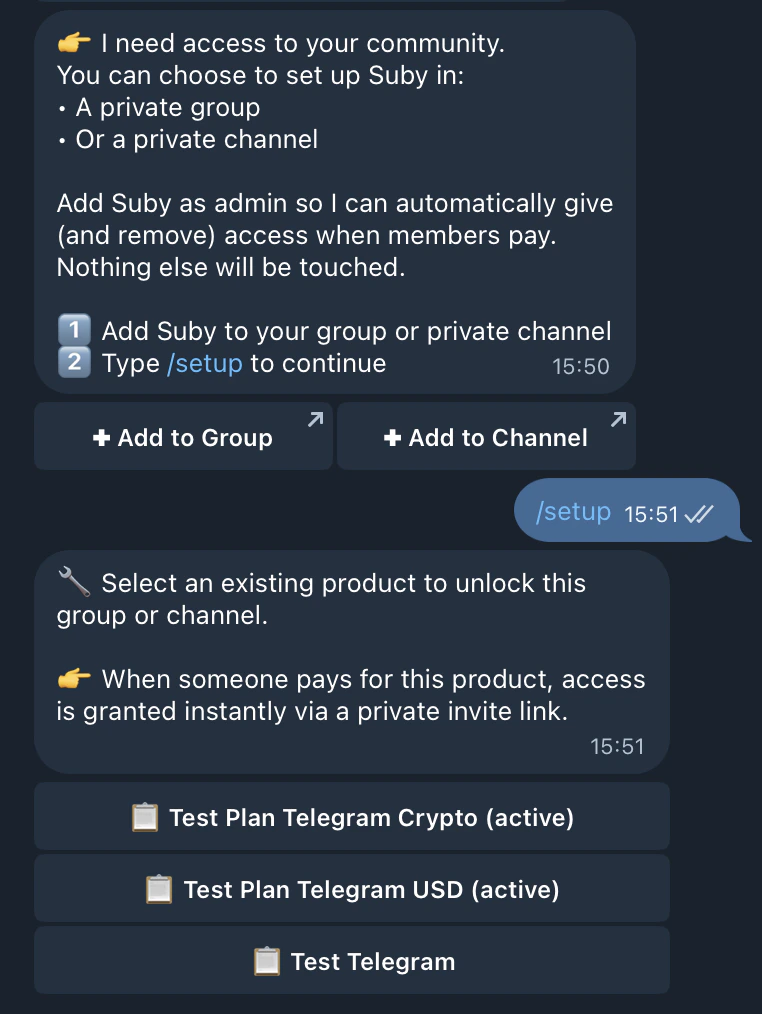
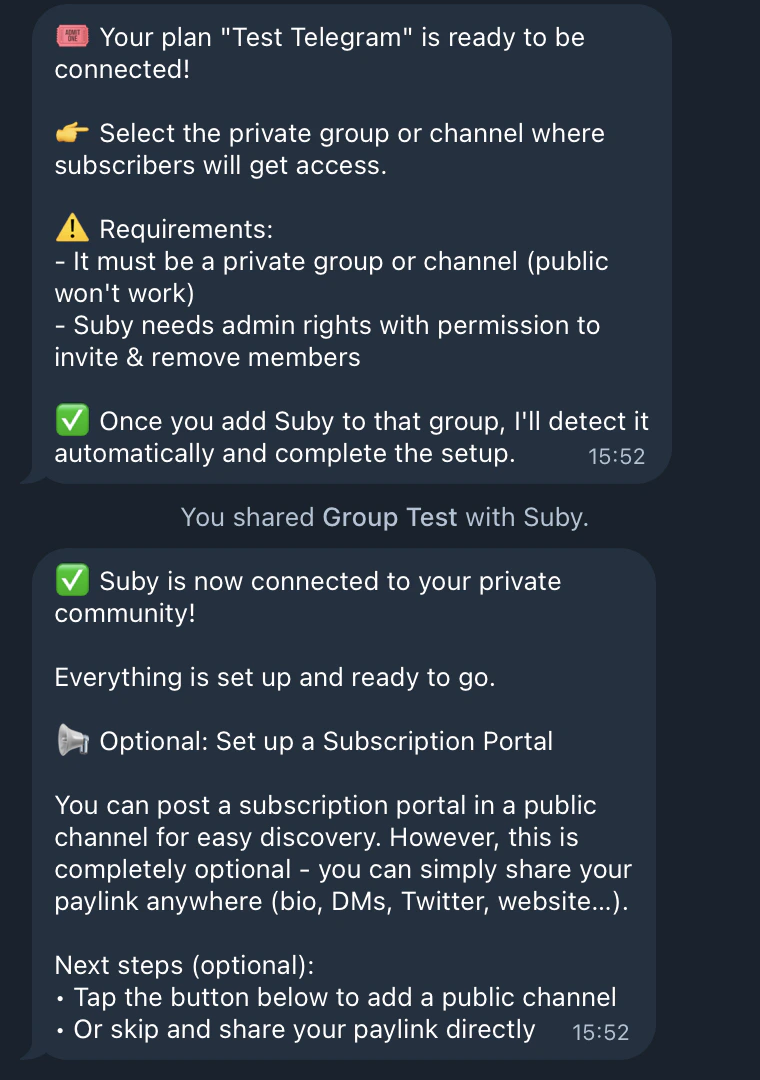
You’re Live
Once the link between Suby and your private community is complete, you have two options to share access:Direct PayLink
Share your PayLink directly with your audience. Customers pay and receive access instantly.
Checkout (Optional)
Create a public-facing checkout page for your Telegram community.