

How It Works
Discord access is controlled through roles. A paid role unlocks private channels, and losing that role immediately removes access. Suby automates the entire lifecycle.Granting Access
Once a payment is confirmed, the Suby bot assigns the paid role instantly, even if the user is not yet a member of your server. New members are invited automatically.
Removing Access
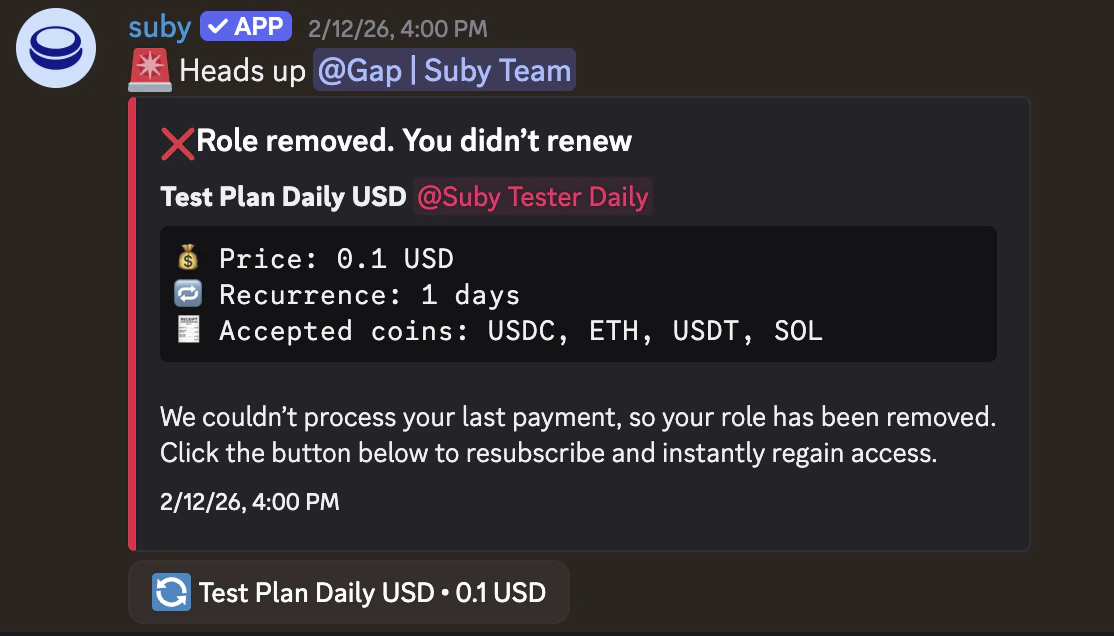
Access is revoked automatically when a payment fails, a card subscription fails to renew, or a crypto subscription is not renewed after the reminder period.
Notifications
The bot notifies members of successful payments, upcoming renewal reminders (crypto subscriptions), and access removal, reducing churn and confusion.
Free Days
Grant temporary access to any user using the
/freedays command. The role is assigned for a fixed period and removed automatically when it expires. Useful for trials, giveaways, or manual exceptions.Access Lifecycle
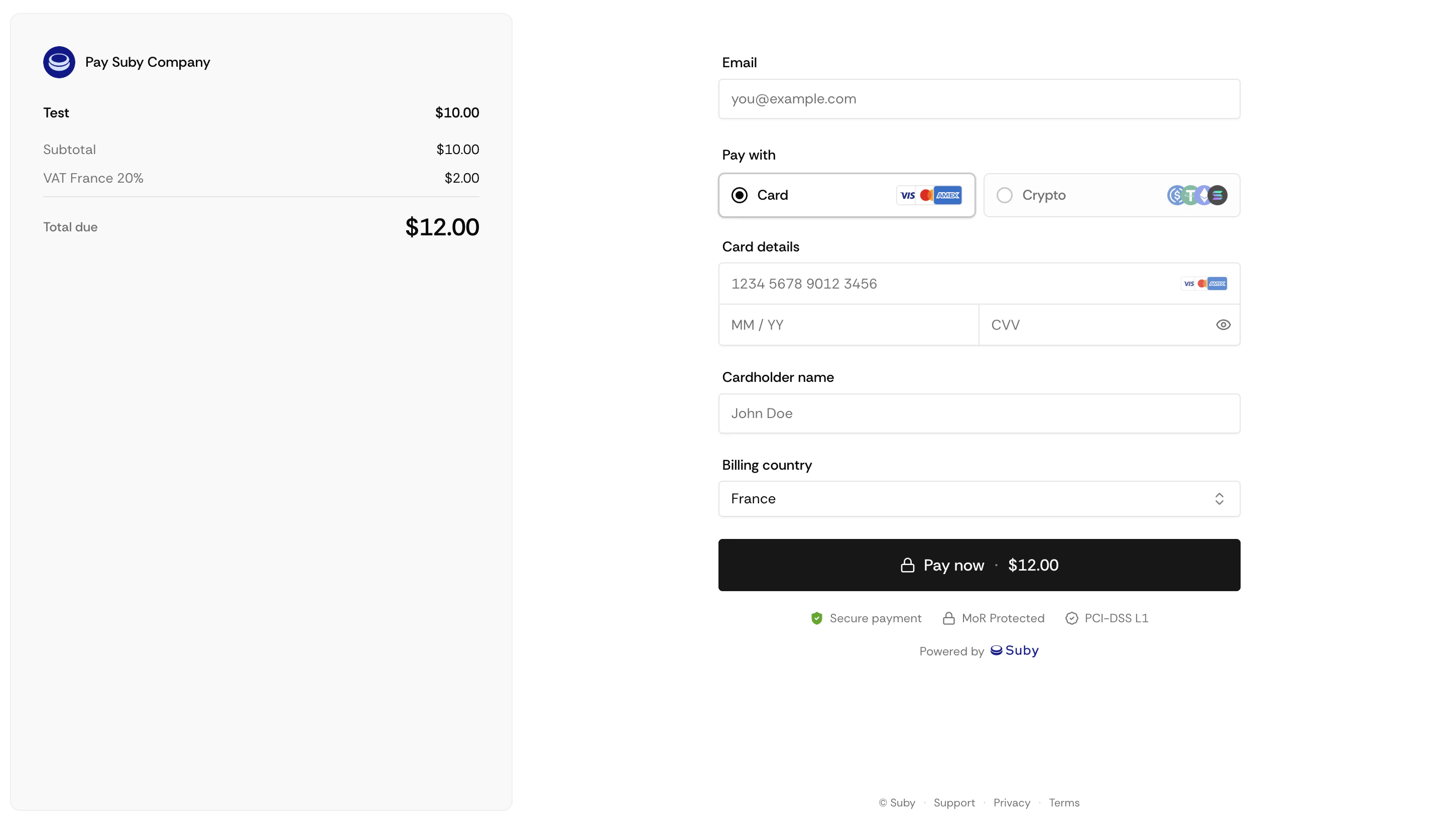
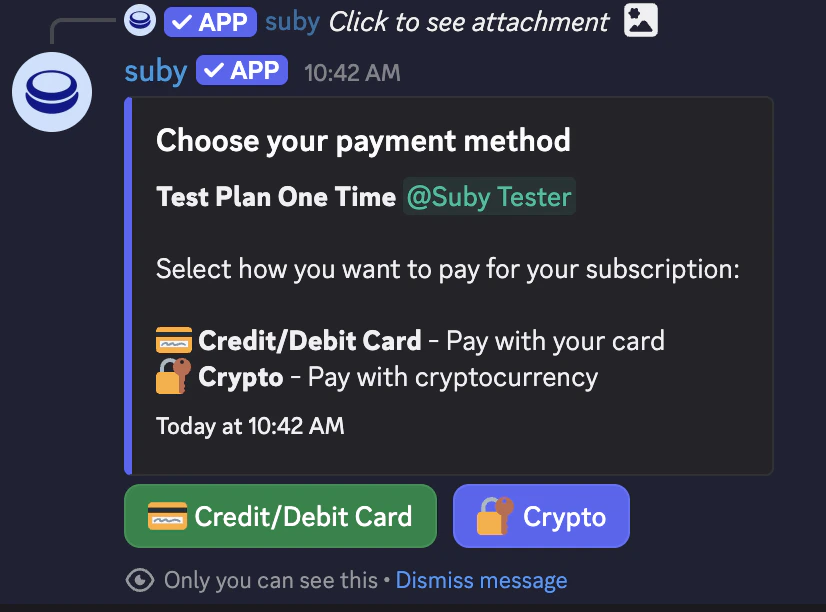
Role assigned
The Suby bot assigns the paid role instantly. If the customer is not yet in your server, they receive an invite automatically.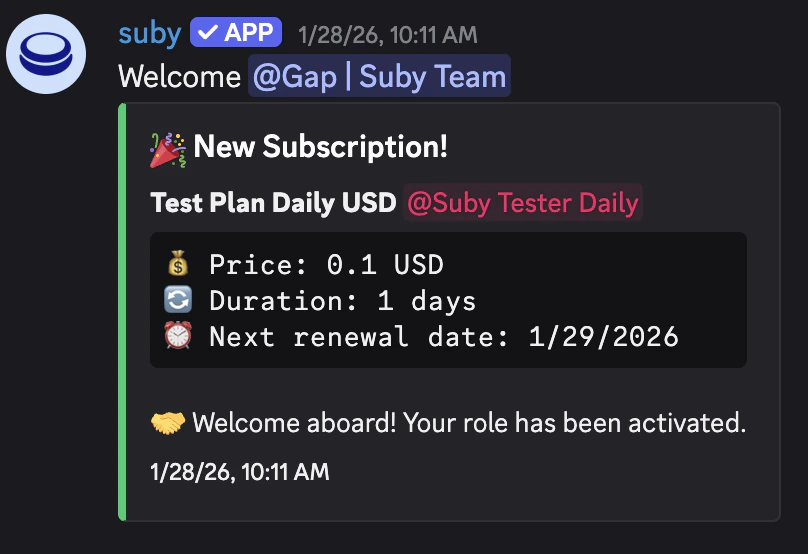
Subscription active
Access is maintained automatically for the duration of the subscription. No manual action required.
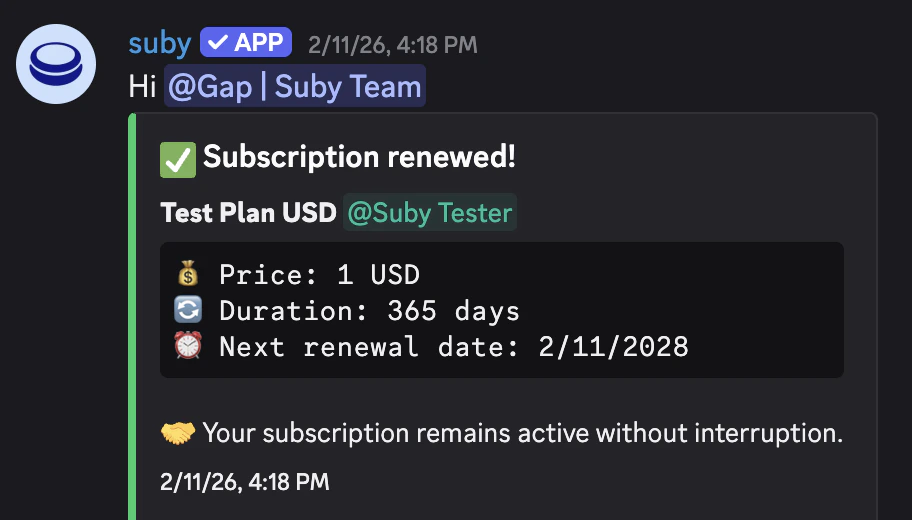
Renewal & Access Removal
Card subscriptions
Card subscriptions
If a card renewal fails, Suby retries the charge over the following days. If the payment remains unresolved, the role is revoked and the member is notified.
Crypto subscriptions
Crypto subscriptions
Suby sends a renewal reminder to the member before their access period ends. If the subscription is not renewed, the role is removed automatically after the reminder period.
Manual removal
Manual removal
You can manually revoke or grant access at any time from your Suby dashboard, independently of the subscription state.
Free Days
Use the/freedays command to grant temporary access to any user without requiring a payment.
The role is assigned for a fixed number of days and removed automatically when the free period ends. Useful for trials, giveaways, or manual exceptions.