

What’s Included
Shareable PayLink
Generate a PayLink tied to a Telegram group or channel and share it anywhere. Customers pay and receive an invite link instantly.
Native Telegram Checkout
Run the full checkout flow inside Telegram. Customers pay with cards or stablecoins without leaving the app.
Built-in Notifications
Payment confirmations, renewal reminders, and cancellation notices sent directly inside Telegram.
How It Works
For your members1
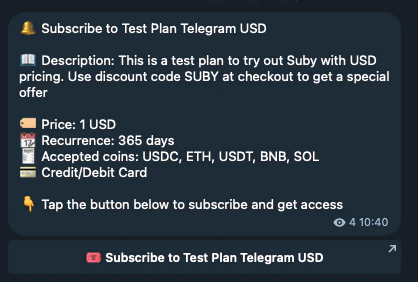
Checkout
A member clicks your PayLink or triggers checkout inside Telegram.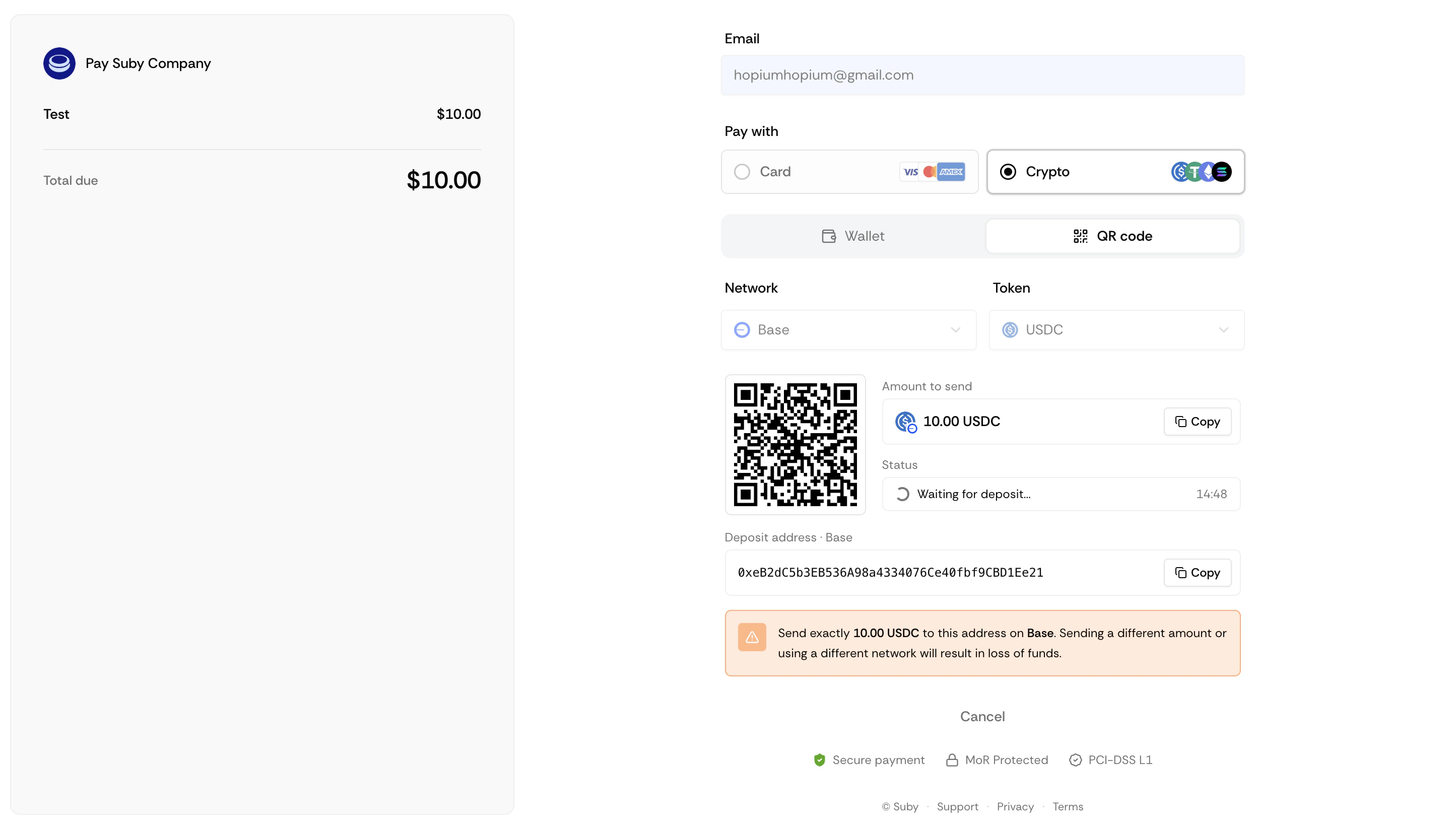
2
Payment
They complete payment with a card or stablecoin.
3
Access granted
They receive an invite link instantly.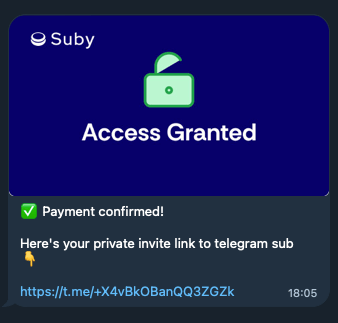
4
Renewals
On renewal, access is maintained automatically.
5
Cancellation
On cancellation or failed payment, they are removed and notified.
1
Configure once
Everything is set up at PayLink creation, no ongoing manual work.
2
Stay informed
Receive notifications for new payments, renewals, and cancellations.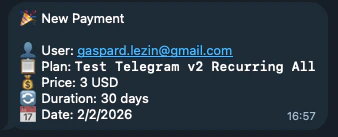
3
Manual overrides
Manage access manually from your dashboard at any time.
Setting Up the Integration
Telegram is configured directly when you create a PayLink. There is no separate setup step.1
Create a product
Go to your dashboard and click Create product. Set your billing type, price, and currency.
2
Select Telegram
Under Integration, select Telegram.
3
Add the Suby bot
Add the Suby bot to your group or channel and grant it admin permissions when prompted.
4
Select your group or channel
Choose the Telegram group or channel you want to gate.
5
Save
Your PayLink is ready to share.
Telegram integration supports groups and channels only.
Full Telegram Integration Guide
Step-by-step setup, native checkout, and notification configuration.