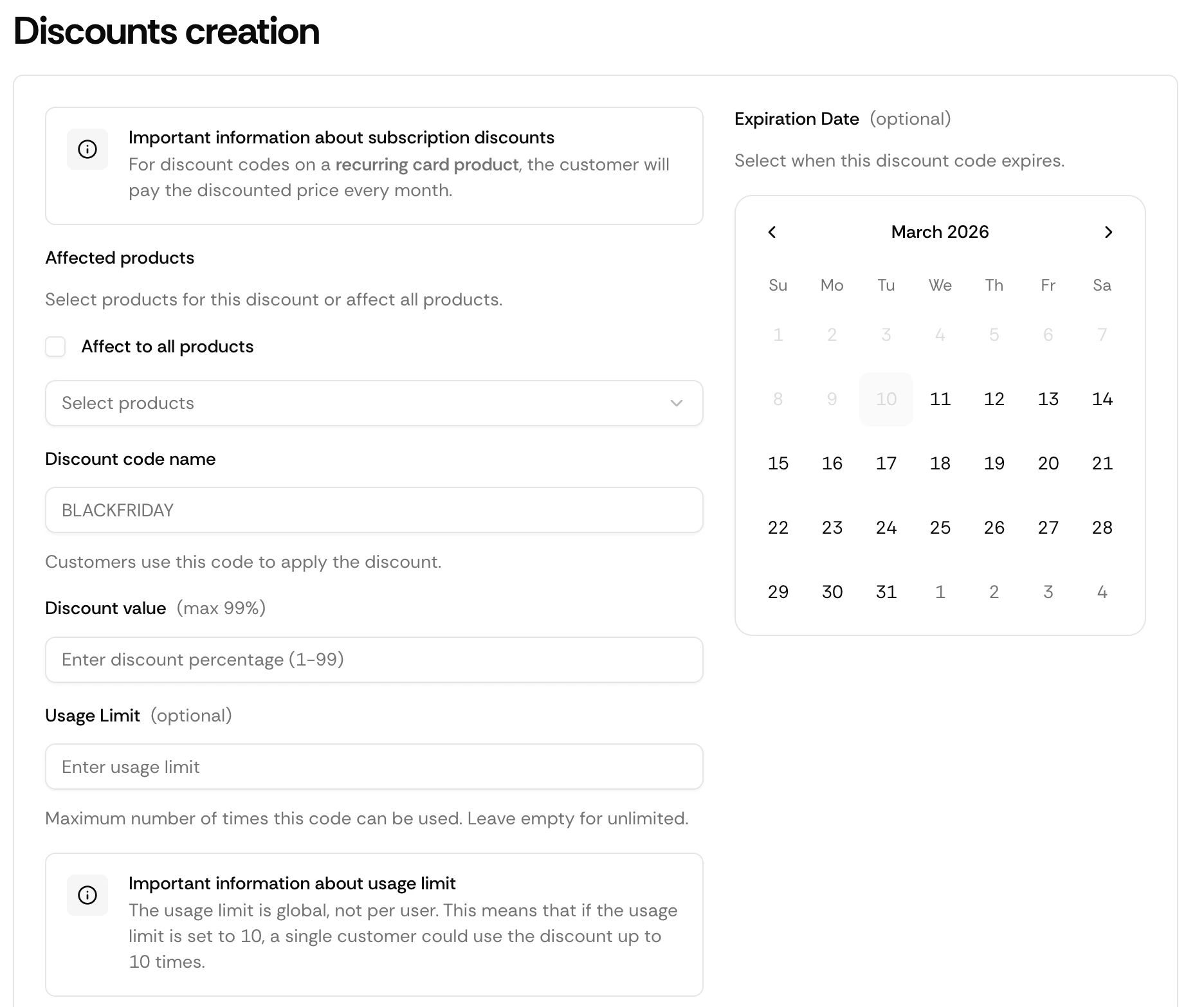
Discount codes let you offer reductions at checkout — for promotions, launches, or specific customer segments. Customers enter the code at checkout and the price adjusts automatically.
How It Works
Create a code
Set up a discount code in your dashboard with a type, value, and optional limits.
Share it
Send the code to customers via email, Discord, social media, or anywhere else.
Customer applies it
The customer enters the code at checkout.
Discount applied
Suby adjusts the amount charged automatically.
Creating a Discount Code
Go to Discounts
Navigate to Growth → Discounts in your dashboard and click Create code.
Configure your code
Set the code string (e.g. LAUNCH50), discount type, value, and optionally a usage limit and expiry date.
Save and share
Your code is active immediately.
Discount Types
| Type | Example |
|---|
| Percentage | 20% off the checkout total |
| Fixed amount | $10 off the checkout total |
Limitations
Discount codes apply to the checkout total after tax calculation. Codes are case-insensitive at checkout. A usage limit of 1 makes a code single-use.