

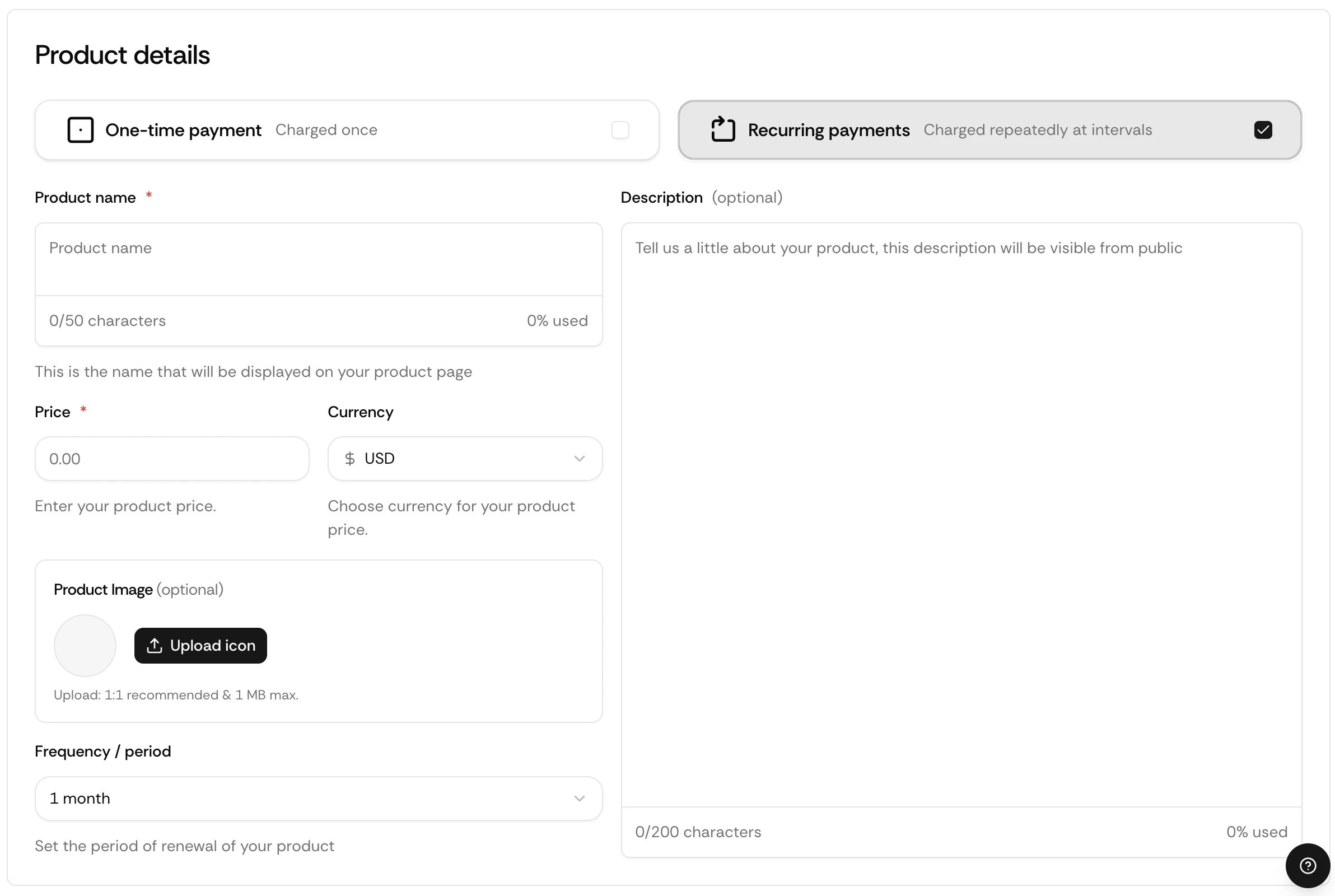
Subscriptions let you charge customers on a recurring basis. Suby handles the full lifecycle, renewals, failed payment recovery, and cancellations, automatically.
Captured’écran2026 03 13à10 34 39

How It Works

When a customer subscribes, Suby:
1

Processes the first payment

The first charge is collected immediately at checkout across the customer’s chosen method, card, bank, Apple Pay, Google Pay, or stablecoin.
2

Calculates taxes

Applicable taxes are calculated and collected automatically based on the customer’s location.
3

Delivers access

Access is granted based on your configured integration, PayLink, API, Discord, or Telegram.
4

Renews automatically

The subscription renews at the end of each billing cycle. Failed payments trigger dunning automatically.
5

Fires a webhook

A subscription.created event is sent to your server if you have a webhook configured.

Use Cases

SaaS & Tools

Monthly or yearly access to software, APIs, or developer tools.

Discord Communities

Recurring access to paid Discord roles and private channels.

Telegram Groups

Subscription-gated Telegram groups and channels.

Content & Newsletters

Paid newsletters, content libraries, and creator memberships.

Billing Cycles

Suby supports any billing cycle, weekly, monthly, every 3 months, every 6 months, or yearly. You set it when creating your product.

Dunning

If a renewal payment fails, Suby automatically retries the charge over the following days and notifies the customer to update their payment method. If the payment remains unresolved, the subscription is cancelled and access is revoked.
You receive a subscription.past_due webhook when a renewal fails and a subscription.cancelled webhook if it is not recovered.

Setting Up a Subscription

1

Create a product

Go to your dashboard and click Create product.
2

Set billing type

Select Recurring and choose a billing cycle.
3

Set your price

Enter your price in USD.
4

Choose your integration

Select PayLink, API, Discord, or Telegram.
5

Save and share

Your subscription is live instantly.

Via API

Create a Checkout Session with a recurring product:
curl -X POST https://api.suby.fi/v1/checkout/sessions \
  -H "Authorization: Bearer YOUR_API_KEY" \
  -H "Content-Type: application/json" \
  -d '{
    "product_id": "prod_xxx",
    "customer_email": "user@example.com",
    "success_url": "https://yourapp.com/success",
    "cancel_url": "https://yourapp.com/cancel"
  }'

Full API Reference

Endpoints, parameters, and response objects for Checkout Sessions.

Webhooks

Listen for subscription events to sync access delivery on your backend.
EventWhen it fires
subscription.createdCustomer subscribes for the first time
subscription.renewedA renewal payment succeeds
subscription.past_dueA renewal payment fails
subscription.cancelledSubscription is cancelled
{
  "event": "subscription.created",
  "data": {
    "subscription_id": "sub_xxx",
    "product_id": "prod_xxx",
    "customer_email": "user@example.com",
    "amount": 4900,
    "currency": "usd",
    "interval": "monthly"
  }
}

Full Webhook Reference

Full list of events and payload structure.