Suby’s Telegram integration lets you monetize Telegram groups and channels without managing access manually. Configure everything when you create your PayLink — Suby handles the rest.

What’s Included

Shareable PayLink

Generate a PayLink tied to a Telegram group or channel and share it anywhere. Customers pay and receive an invite link instantly.

Native Telegram Checkout

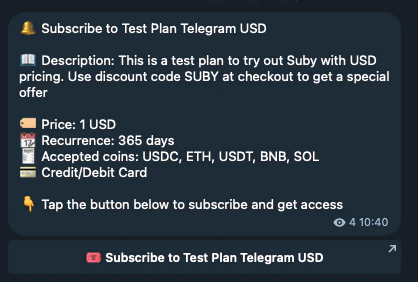
Run the full checkout flow inside Telegram. Customers pay with cards or stablecoins without leaving the app.

Built-in Notifications

Payment confirmations, renewal reminders, and cancellation notices sent directly inside Telegram.

How It Works

For your members
1

Checkout

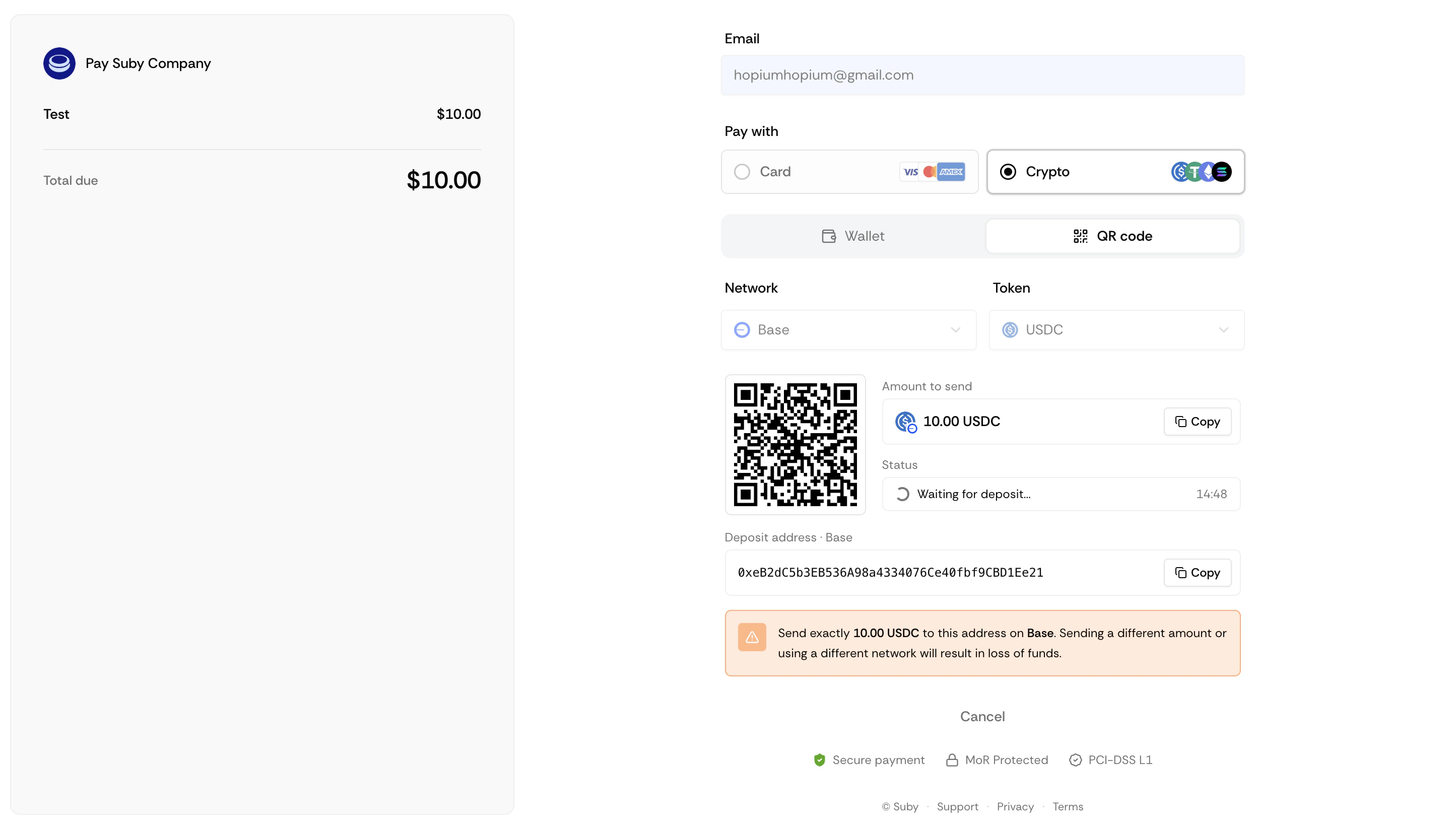
A member clicks your PayLink or triggers checkout inside Telegram.
Checkoutpaylinktg
Checkouttelegr
2

Payment

They complete payment with a card or stablecoin.
3

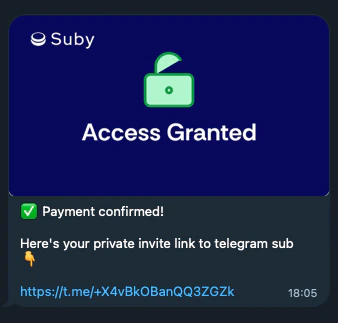
Access granted

They receive an invite link instantly.
Captured’écran2026 03 13à10 55 35
4

Renewals

On renewal, access is maintained automatically.
5

Cancellation

On cancellation or failed payment, they are removed and notified.
For you
1

Configure once

Everything is set up at PayLink creation, no ongoing manual work.
2

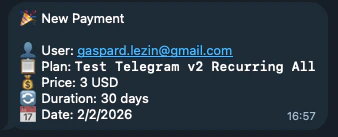
Stay informed

Receive notifications for new payments, renewals, and cancellations.
Paymenttg
3

Manual overrides

Manage access manually from your dashboard at any time.

Setting Up the Integration

Telegram is configured directly when you create a PayLink. There is no separate setup step.
1

Create a product

Go to your dashboard and click Create product. Set your billing type, price, and currency.
2

Select Telegram

Under Integration, select Telegram.
3

Add the Suby bot

Add the Suby bot to your group or channel and grant it admin permissions when prompted.
4

Select your group or channel

Choose the Telegram group or channel you want to gate.
5

Save

Your PayLink is ready to share.
Telegram integration supports groups and channels only.

Full Telegram Integration Guide

Step-by-step setup, native checkout, and notification configuration.